Turn a hosted OpenAPI specification into a filtered, callable tool set from the dashboard.
This guide connects a public OpenAPI specification, exposes one read-only operation, and verifies that an agent can call it. You configure the tool set in the dashboard, then dispatch the objective from code.The example uses the Swagger Validator specification. It contains six operations. An include rule keeps reviewByUrl available and omits the other five.
The specification declares a relative server URL. The override makes the request destination explicit and was used for the live call verified in this guide.
The hosted specification and explicit API base URL
A URL source is fetched when you create the tool set, after adapter updates, and during its hourly sync. Choose Upload instead when the document should stay fixed or cannot be hosted.Use Add header when fetching the specification or calling the API requires authentication. Store credentials as secrets and reference them as ${SECRET_NAME} rather than placing a token in the form.
2
Preview the operations
Click Generate Preview. Cadenya fetches and parses the specification without saving the tool set. The preview initially finds six operations.A valid operation needs an operationId, or the custom x-llm-tool-name extension described below. Preview is the fastest place to catch a missing operation name, an unreachable specification, or an unresolved secret.
3
Keep one read-only operation
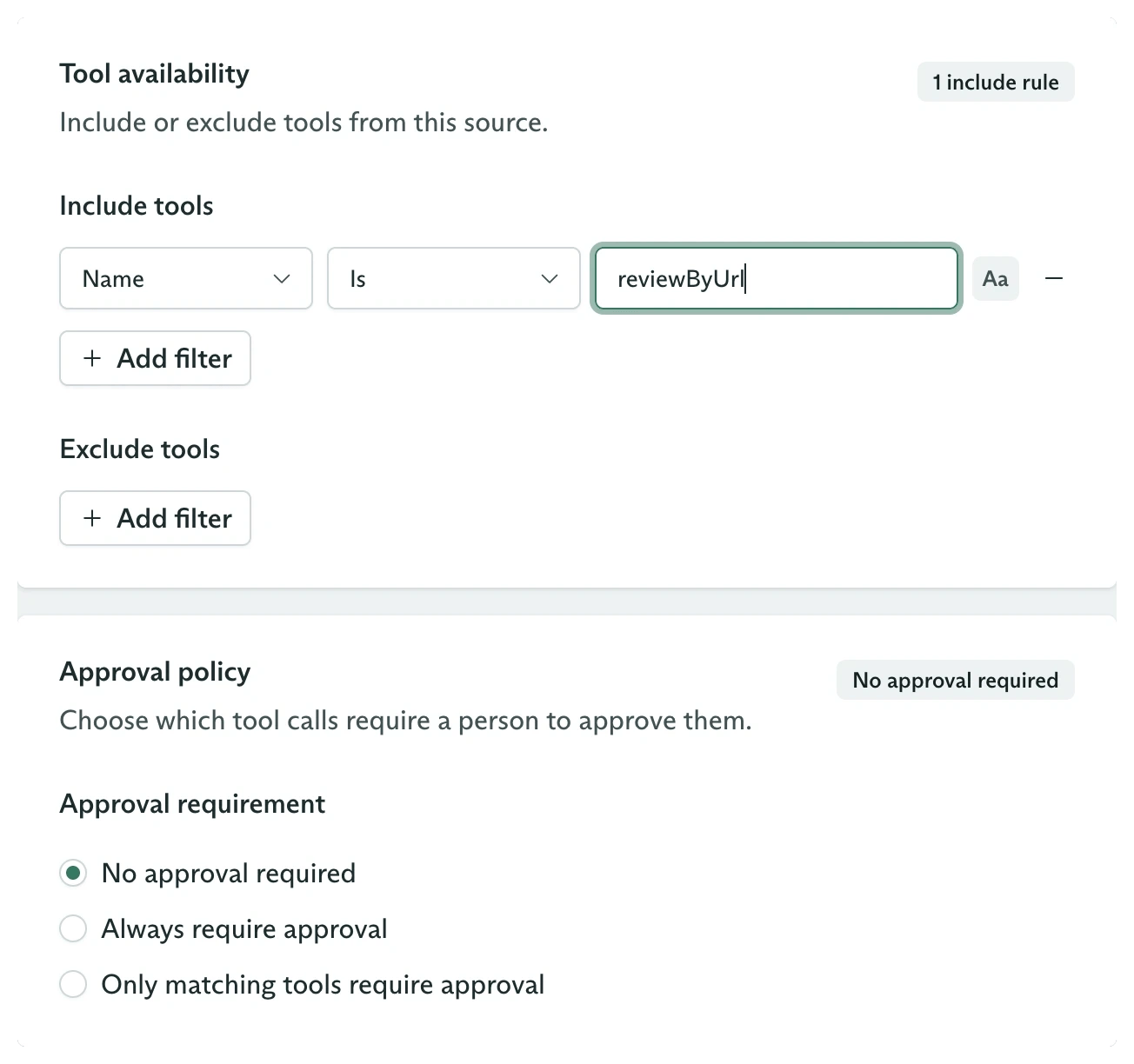
Click Continue. Under Include tools, add this rule:
Field
Value
Attribute
Name
Matcher
Is
Value
reviewByUrl
Case sensitivity
Case insensitive
Leave Exclude tools empty and keep Approval requirement on No approval required.
An exact include rule and no approval requirement
Include filters run first. Exclude filters then remove operations from that included set. Matching is evaluated against an operation’s name, title, or description, depending on the selected attribute.Regenerate the preview. It now reports six tools found, one available, and five omitted.
The filter leaves reviewByUrl available
Omitted tools remain visible for audit, but agents never receive them.
4
Name and save the tool set
Click Continue and enter:
Field
Value
Name
OpenAPI validator
Description
Validate public OpenAPI documents with a read-only Swagger operation.
External ID
openapi-validator
Review the configuration, then click Create Tool Set. Cadenya saves the resource and starts its first sync.
Select reviewByUrl to inspect the description and generated parameter schema. The url argument is required.
The single available operation and its generated schema
Open Sync Events when setup code or an operator needs to confirm that discovery finished. A completed sync reports all six operations it processed, even though filters leave only one available.The OpenAPI Spec tab shows the exact JSON document Cadenya consumed:
Open an agent variation and add OpenAPI validator under Assignments. Use a system prompt that tells the model when to call the operation:
You validate OpenAPI documents. Call reviewByUrl with the URL from the user.After the result, return a compact JSON object with valid and message fields.An empty schemaValidationMessages array means valid is true.
Publish the agent after saving the assignment. Published agents accept objectives; draft agents do not.
Use this when tool set provisioning belongs in deployment code. The API returns before the asynchronous sync finishes, so production setup code should read tool set events before assigning the set.
Choose Upload in the dashboard when the specification should not change automatically. Through the API, create and complete an upload, then set the OpenAPI source to:
{ "type": "uploadId", "uploadId": "upload_01..."}
Uploaded documents do not receive hourly source refreshes. Updating the adapter to a new upload starts another sync.
Add these operation extensions when the provider’s developer-facing names are poor model instructions:
x-llm-tool-name overrides the operationId as the callable tool name.
x-llm-tool-description overrides the operation description and summary.
An operation without either operationId or x-llm-tool-name is skipped.
You now have a filtered OpenAPI tool set whose UI configuration, six-operation sync, generated schema, and live reviewByUrl call have all been verified.