

What you need
- An agent with its webhook events URL pointed at the server you build here. See Approving a tool for wiring the URL and a tunnel.
- Your webhook signing secret in
CADENYA_WEBHOOK_KEYand your API key inCADENYA_API_KEY. - An SMTP account to send mail. This guide uses Nodemailer in TypeScript and the standard
net/smtppackage in Go. - Objectives tagged with the address to notify. Set it in
labelswhen you start the objective, and every webhook for that run carries it.
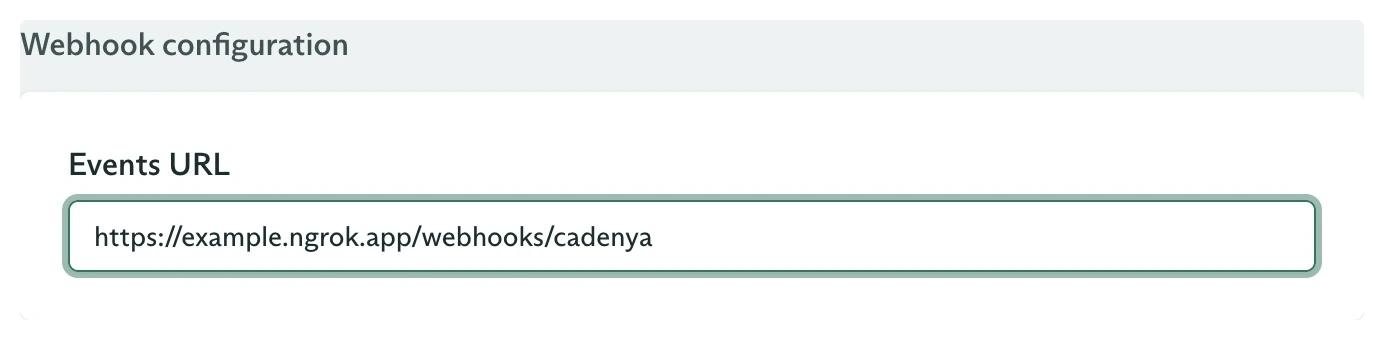
Set the receiver on the agent before publishing it
Step 1: Receive and verify the webhook
Read the raw body, hand it tounwrap, which checks the Standard Webhooks signature against CADENYA_WEBHOOK_KEY and parses the payload. Acknowledge with a 200 before you send any mail, so a slow SMTP call never trips a retry.
Step 2: Email on finish and failure
Cadenya sends a webhook for every objective event, but you would not email each assistant message; that is noise. The two worth a person’s inbox arefinalized (the run is done, here is the result) and error (something broke). Read the recipient off the objective’s labels, then branch.
The
finalized event carries the agent’s structured output at finalized.output, so the completion email includes the result with no extra fetch. See Get structured output for shaping it.Make it reliable
Acknowledge before you send
Acknowledge before you send
Return
200 first, then send mail. Cadenya retries a delivery that does not ack, and an SMTP round trip is slow enough to cause repeats if you block on it.Dedupe on the webhook ID
Dedupe on the webhook ID
A retry resends a delivery with the same
webhook-id header. Track the IDs you have handled and skip repeats, so one finished objective does not send two emails.Point it somewhere else
Point it somewhere else
The branch is the whole pattern. Swap
send for a Slack post, an SMS, or a ticket create, and key the destination off labels the same way. For a live in-app feed, push each event to the browser over server-sent events instead of email.What you built
A handler that verifies a Cadenya webhook, finds who to tell from the objective’s labels, and emails them the result when a run finishes or an alert when it fails. No polling, no dashboard watching, the news comes to the right inbox.Going further
Approving a tool
Add a human in the loop: approve or deny a tool call from the same handler.
Get structured output
The schema behind the
finalized event’s output object.