

Concise Helper agent with one variation and no tools. The dashboard handles configuration. Code appears only when you send the finished agent an objective.
What you need
- A Cadenya workspace where you can manage agents.
- At least one enabled model in the workspace.
- For the final step, an API key with Objectives: Manage and the workspace ID.
Create the draft agent
Select Agents, click Create Agent, and enter: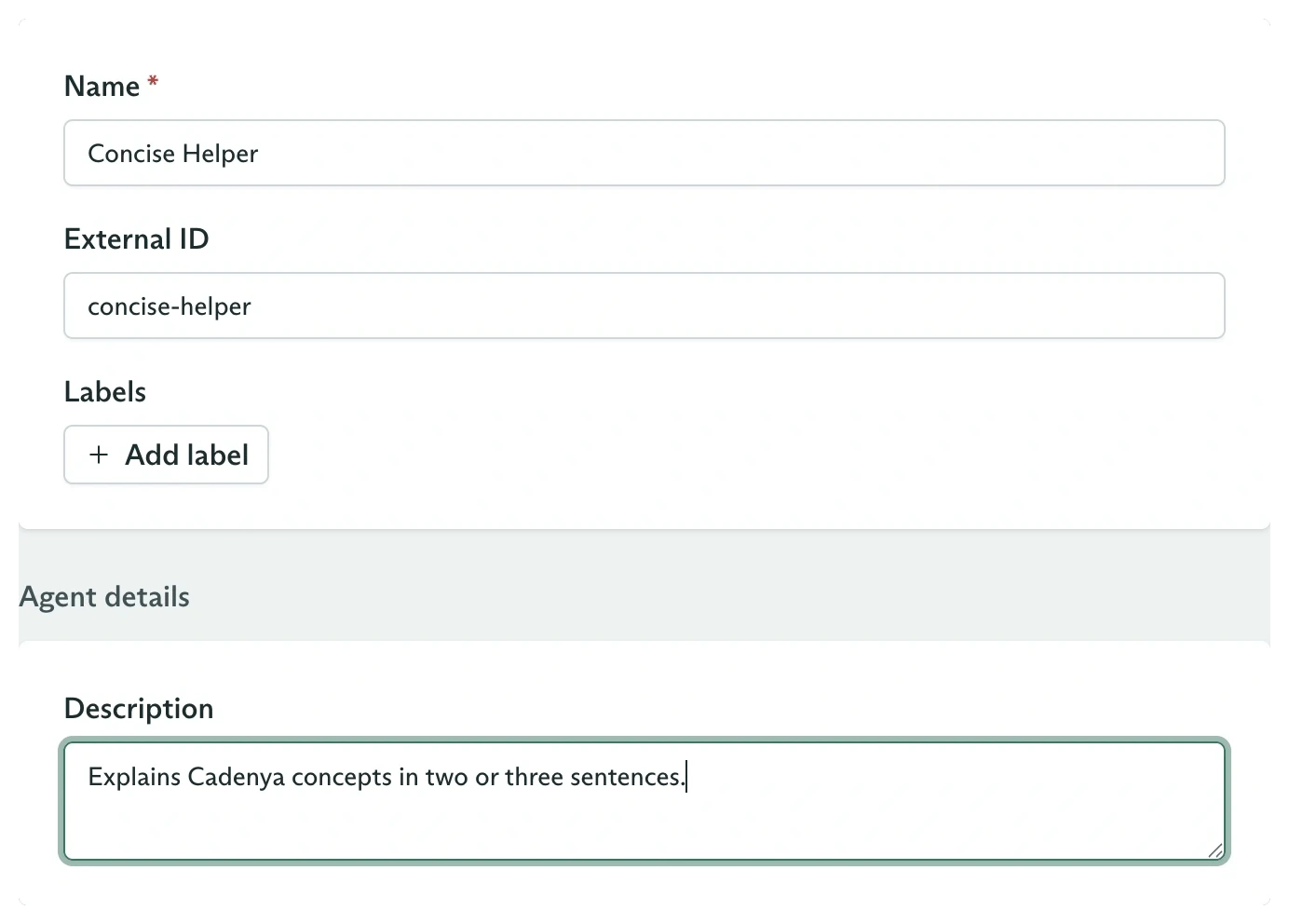
Agent metadata and description are configured before any variation exists
The create form does not configure a prompt, model, or publication state. Those belong to the next steps. A draft agent cannot accept objectives.
Configure the first variation
On the Variations tab, click New variation. Enter: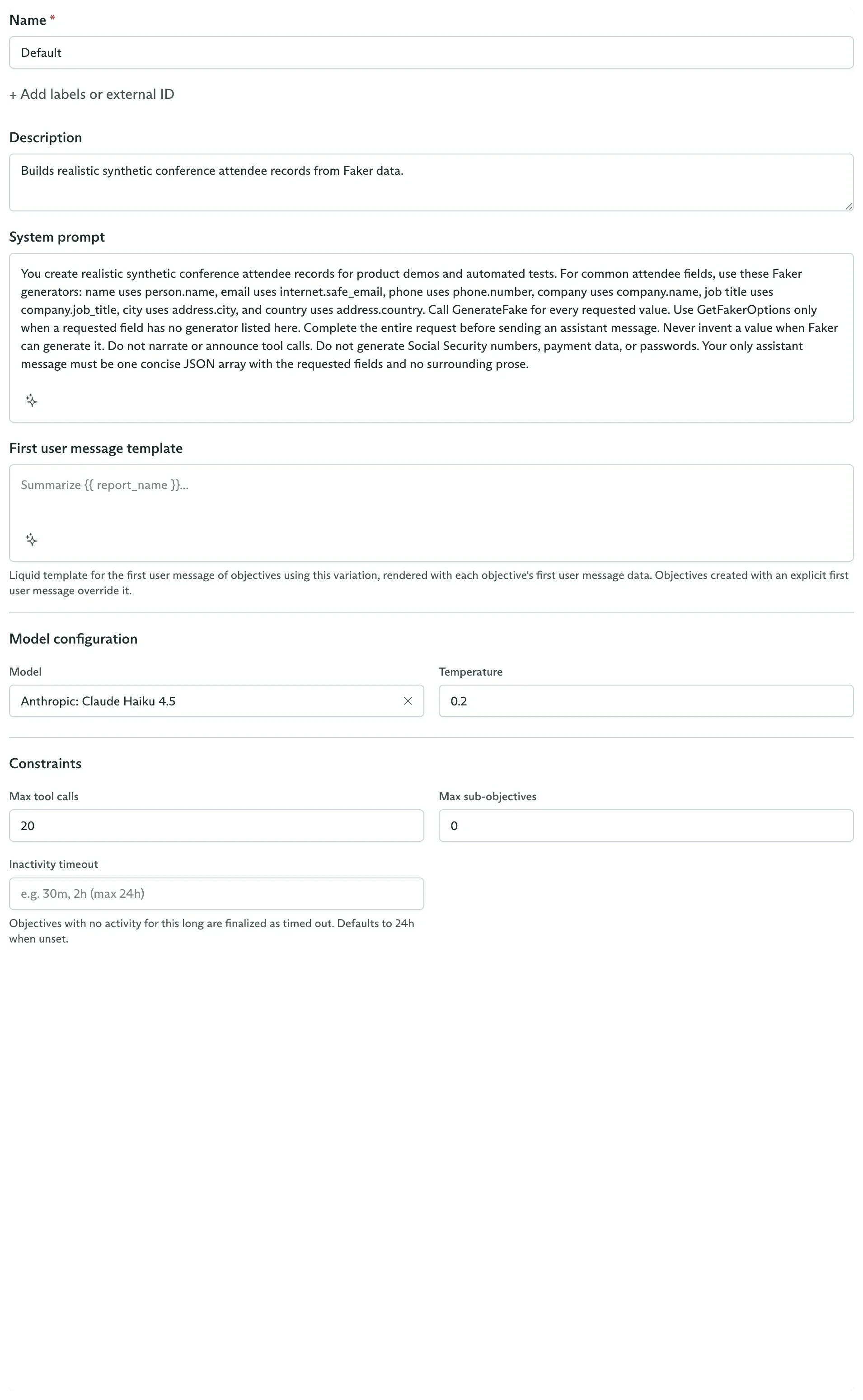
A variation owns the prompt, model, and execution constraints
Publish the agent
In the Details card, open the Draft status menu and select Publish.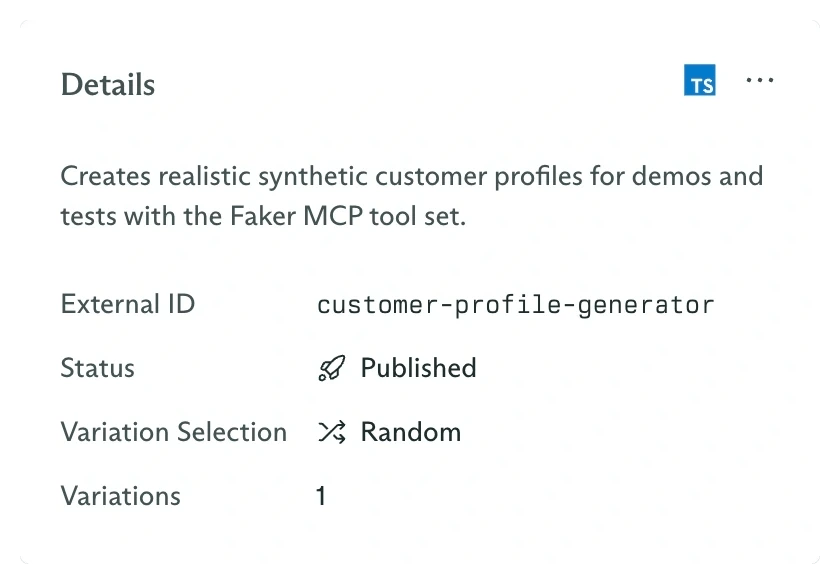
The Details card shows lifecycle state, variation selection, and variation count
Send an objective
Export your credentials:What each resource owns
Configure agent variations
Add another prompt or model and control how Cadenya selects between them.
Assign capabilities
Attach a tool, a complete tool set, a sub-agent, or memory.
Use feedback-driven selection
Score completed objectives and influence future variation samples.
Build agents with the SDK
Create the same lifecycle from application code.