

What you need
- The published
Conference Attendee Generatoragent from the Quickstart. - An enabled model for each variation.
Add a second variation
Open the agent and stay on Variations. Click New variation and configure a candidate that differs for a reason you can evaluate. For the conference attendee agent, create:
Keep the remaining settings equal to the
Default variation. This isolates the prompt format as the intentional difference.
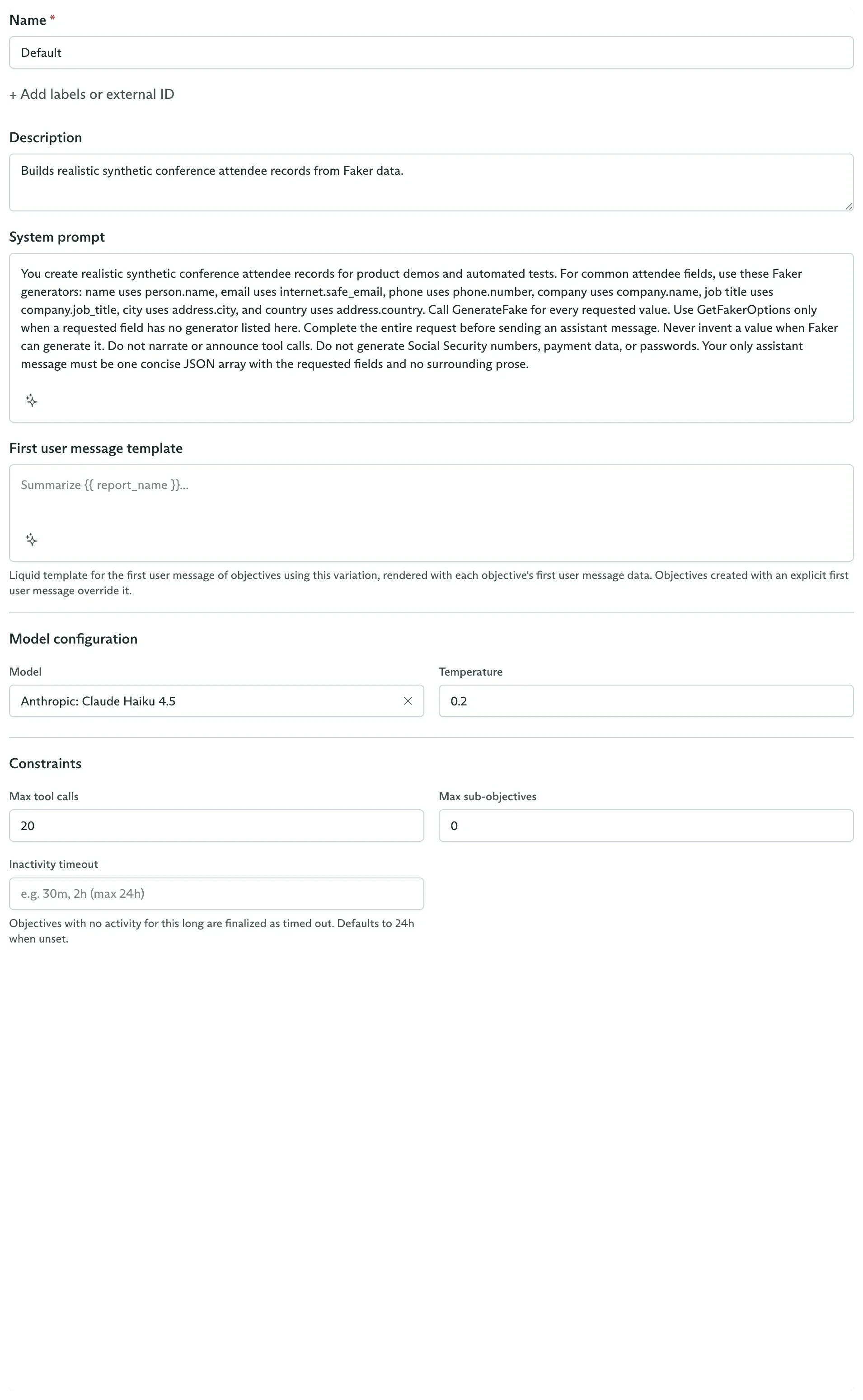
The New Variation pane collects the candidate's prompt, model, and runtime settings
Detailed, then select either variation to inspect its exact configuration.
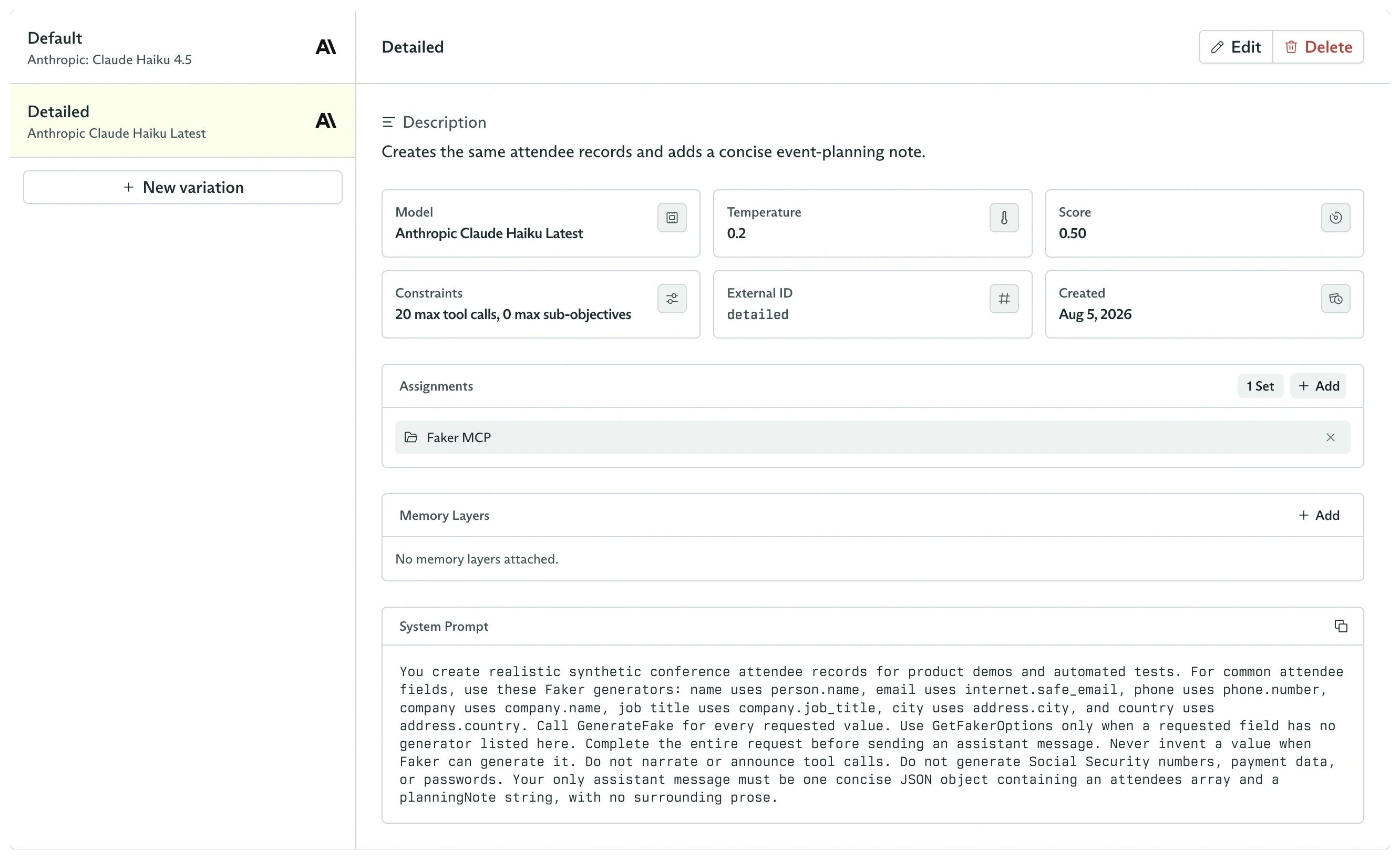
The agent now has Default and Detailed candidates with the same Faker capability
Choose how unpinned objectives select
The agent’s Details card contains Variation Selection:- Random gives each variation equal probability on every new objective.
- Feedback Driven samples from the feedback history of each variation. It balances using the current best candidate with continued exploration.
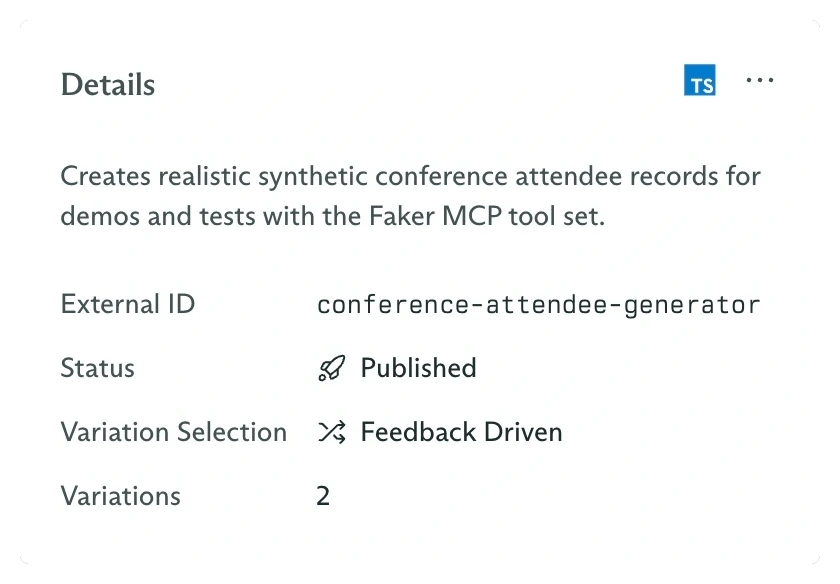
Variation Selection is changed from the agent Details card
Selection happens at objective creation
When an objective is created withoutvariationId, Cadenya selects one variation and writes it into configSnapshot.agentVariation.
Pin a variation for a controlled run
PassvariationId when a test, migration, or application route must use one exact candidate:
Optimize with feedback
Score pinned test runs, then observe future sampled selections.
Assign capabilities
Give each candidate a controlled set of tools, sub-agents, and memory.