

reviewByUrl, marks that operation as approval-required, and verifies the complete pause, approve, execute, and resume sequence.
What you need
- A Cadenya workspace.
- A published agent, or permission to create one with Create and publish an agent.
CADENYA_API_KEYandCADENYA_WORKSPACE_IDfor the code example.
Start with a managed source
Create an OpenAPI tool set with:Set the availability boundary
On Tool behavior, add an Include tools rule: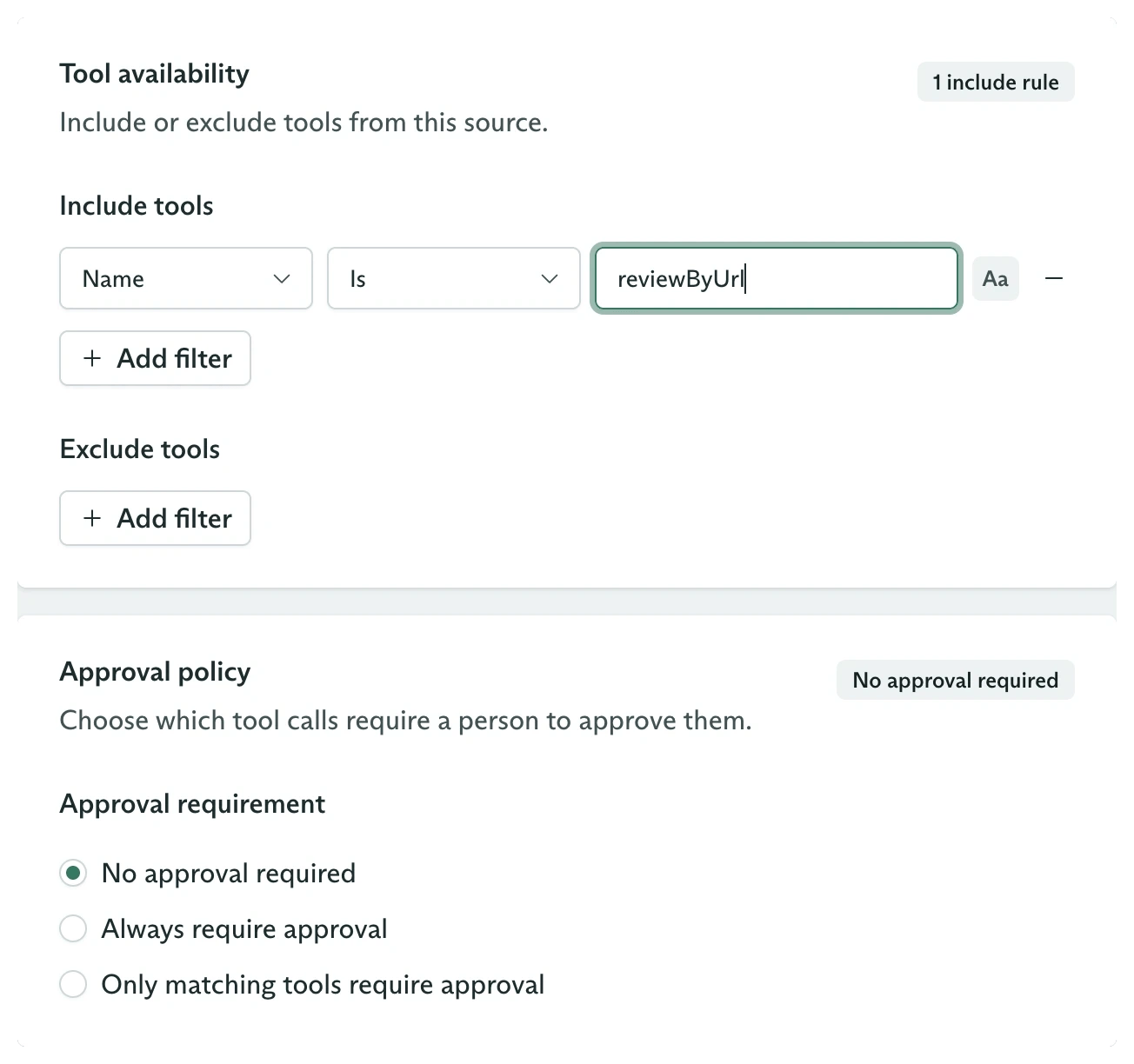
An exact-name include rule and the available approval policies
- Six tools found
- One available
- Five omitted
Match all or any
Multiple rules use one top-level operator:- Match all requires every rule to match the same tool.
- Match any requires at least one rule to match.
(A and B) or C, simplify the naming convention, use a regular expression, or split the source into separate tool sets.
Omitted tools remain visible in the dashboard and sync inventory, but agents never receive them. The sync count describes operations processed from the source, not only the tools left available.
Require approval for the operation
Under Approval requirement, choose Only matching tools require approval. Add the same exact-name rule forreviewByUrl.
The three policies behave differently:
Approval filters do not change availability. They set
requiresApproval on matching tools during sync. In this example, the Tools tab shows reviewByUrl as Available and approval-required, while the other five operations remain Omitted.
Save the tool set and wait for its sync to complete before assigning it to an agent.
Assign and dispatch
Assign the whole tool set to an agent variation. Use a prompt that callsreviewByUrl with the URL from the user, then publish the agent.
Dispatch a validation objective:
TOOL_CALL_STATUS_WAITING_FOR_APPROVAL.
Approve the paused call
Find waiting calls and approve the one your application reviewed:TOOL_CALL_STATUS_APPROVED. Cadenya executes it, records the result, and lets the objective continue.
The vetted timeline contains:
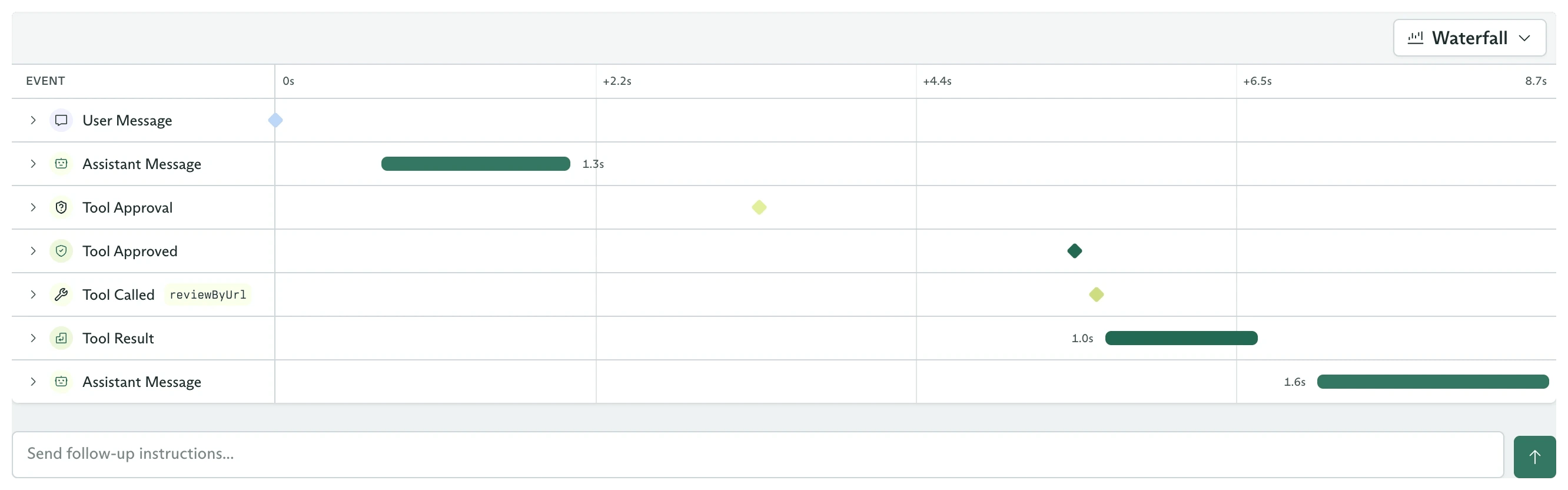
The approved call resumes and completes in the same objective
Deny and redirect
Usedeny when the call should not execute:
Configure the same policies from the SDK
Availability and approval use the same filter shape:{ type: 'always', always: true } for toolApprovals when every available operation should pause.
You now have separate controls for what an agent can see and what a person must authorize before execution.
Next steps
Build the approval callback
Turn the approval decision into an application workflow.
Prevent tool bloat
Load available tools progressively after filtering the source.
Stream objective events
React to approval requests without polling.
Tool sets from the SDK
Manage the complete tool set lifecycle.