

What you need
- A published agent with at least one variation.
- Either a First User Message for this run or a First user message template on every variation the objective can select.
- Values that satisfy the agent’s system prompt data schema, when it defines one.
Create the objective
Open Objectives from the sidebar and select New Objective. Complete the first card: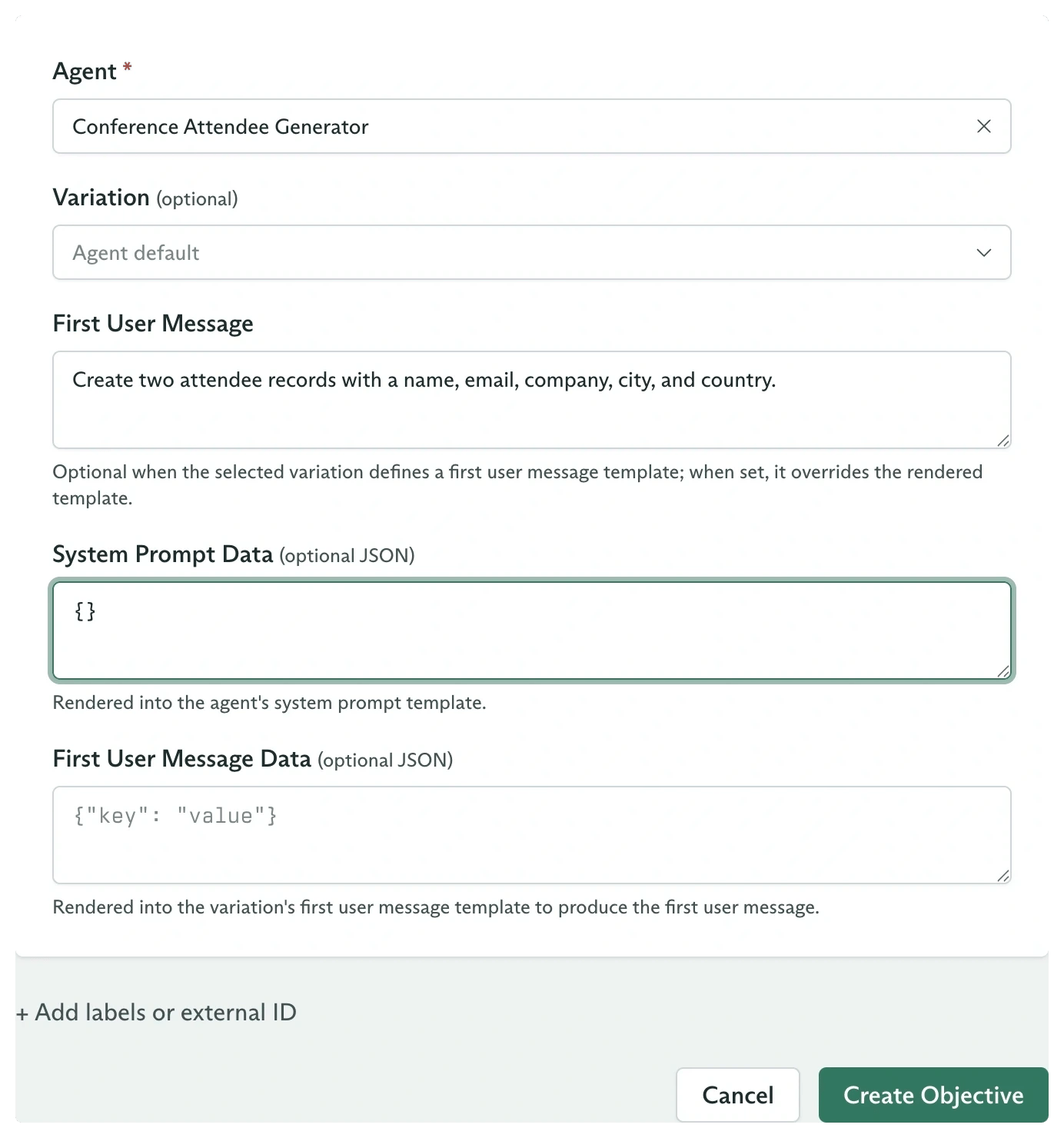
The New Objective form with an agent, variation, message, and prompt data
- Episodic Key appears when the selected agent has episodic memory enabled. Objectives with the same key share the agent’s corresponding episodic memory layer.
- Variation is optional. Selecting one pins that variation. Leaving it empty applies the agent’s Random or Feedback Driven selection mode at creation.
Read the timeline
The Timeline tab is the durable history of the run. It starts with User Message and adds assistant messages, reasoning, tool activity, approvals, compaction, delegation, and terminal events as they occur.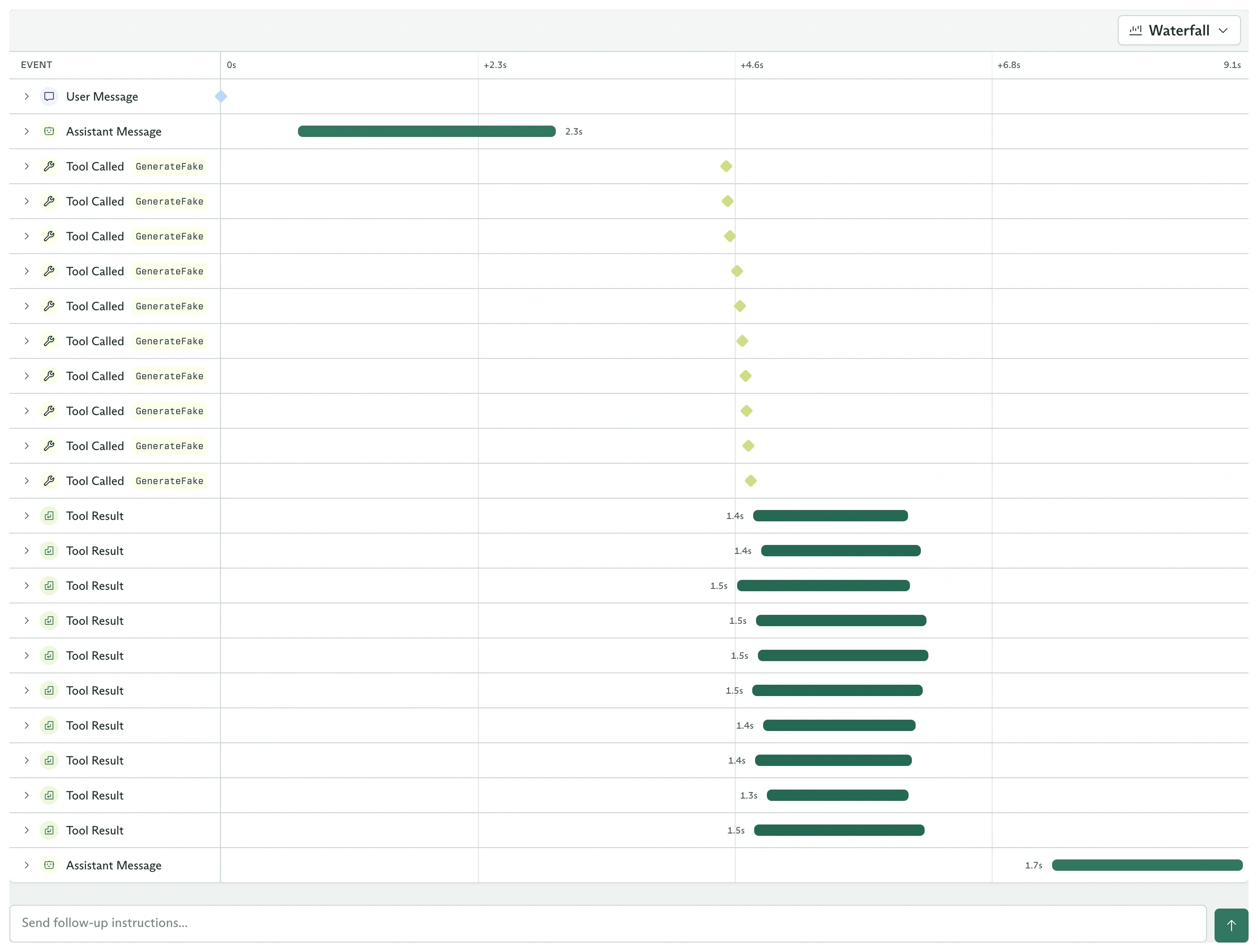
An objective timeline with messages and tool activity
- Timeline, which presents the run as a conversation and expandable event cards.
- Waterfall, which plots event start times and durations on one axis.
The Details card records the snapshotted agent, variation, model, temperature, tool counts, and constraints. Editing the agent later does not change this objective.
Understand the state
The status in Details moves through these states:
An agent without structured output normally ends a turn in Waiting. That is a live conversation, not a terminal state.
Continue a waiting objective
When the status is Waiting, enter another message in Send follow-up instructions… below the timeline and submit it. The objective returns to Pending, then Running, with its existing event history and configuration snapshot intact. The follow-up contains only the new message. Secrets and prompt data are fixed at objective creation, so start a new objective when those inputs must change.Submit feedback
Open Feedback and use Submit Feedback after you can judge the result. The dashboard maps its five stars to API scores:
Add a comment and select Submit Feedback. If the agent uses Feedback Driven selection, the score updates the posterior of the variation snapshotted on this objective. See feedback and variation sampling for the selection math.
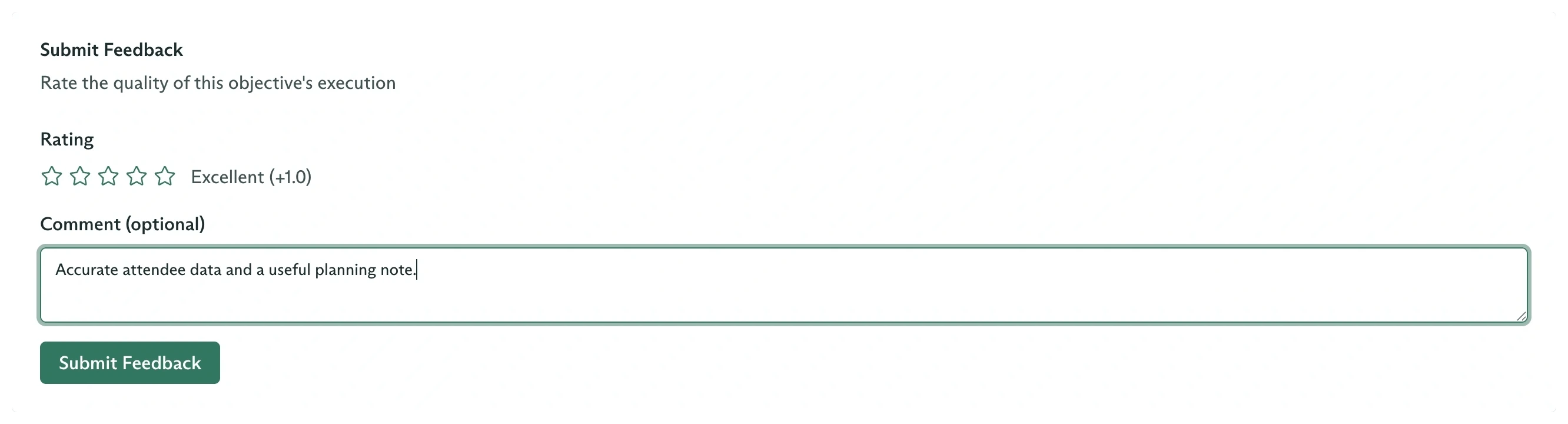
Choose a rating and explain what made the result useful
Dispatch from code
Set the agent identifier to either its Cadenya ID or anexternal_id: reference:
STATE_PENDING. Open its ID under Objectives, or stream its typed events from your application.
Objectives from the SDK
Stream, continue, cancel, and score the objective in code.
Get structured output
Define a JSON Schema and finish objectives with machine-readable output.
Approve a tool call
Review a gated tool call in the dashboard or through your own webhook handler.
How objectives work
Understand snapshots, memory, tools, events, context windows, and terminal states.