

What you need
- A Cadenya workspace where you can create tool sets.
- A published agent variation that can use the tool set.
- The Cadenya SDK, with your API key in
CADENYA_API_KEYand workspace ID inCADENYA_WORKSPACE_ID. - An internal order service URL in
ORDERS_API_URLand its token inORDERS_API_KEYfor the content example.
Choose a configuration
Step 1: Create a Bare tool set
In the workspace sidebar:- Select Tool Sets, then click Create Tool Set.
- Under Adapter type, select Bare.
- Leave Content timeout blank for this lesson. To bound the wait, enter the number of seconds Cadenya should wait for content.
- Click Continue.
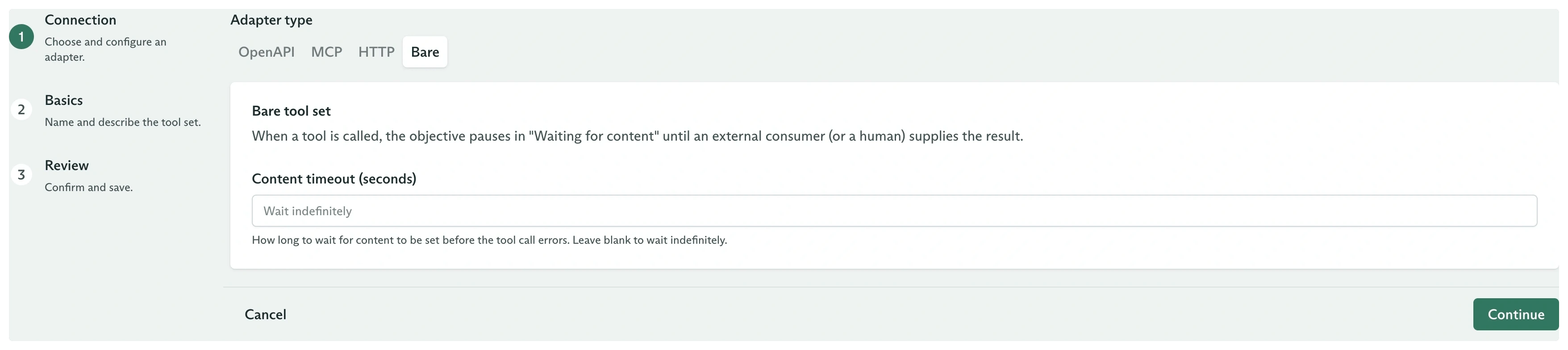
The Bare adapter selected in the connection step
- Name:
Private Orders - Description:
Look up order details through a private worker.
Step 2: Define the tool
The new tool set starts empty. On its Tools tab, click Add Tool, then enter:- Name:
lookup_order - Description:
Look up an order in the private order database. - Requires Approval: Not required
- Tool Name:
LookupOrder
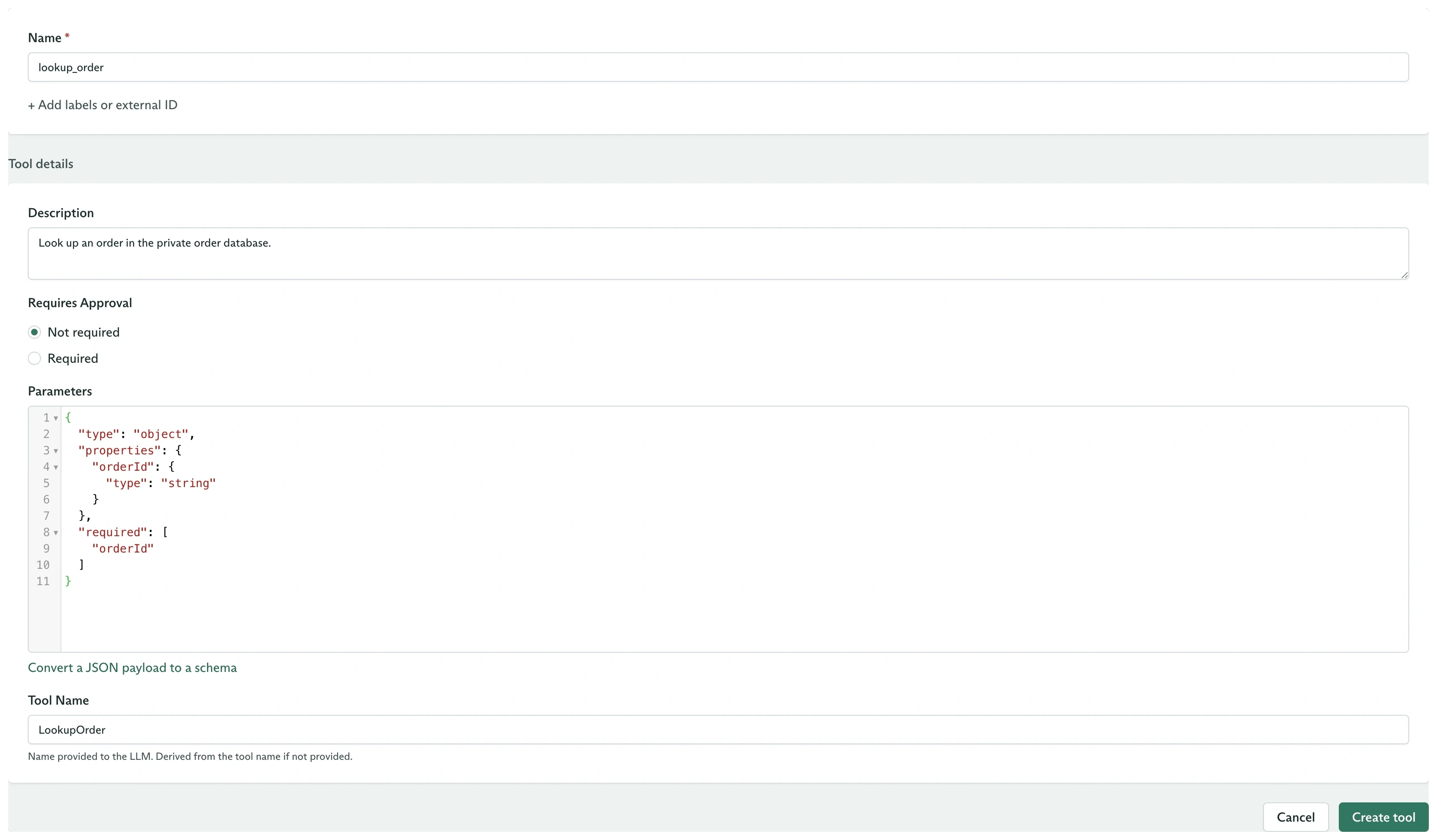
A Bare tool configured to look up a private order
lookup_order as Available.
Requires Approval and Bare content solve different problems. Approval asks whether a call may proceed. Bare content supplies the call’s result. A tool can use both, which puts approval before the wait for content.
Step 3: Assign the set and run an objective
AssignPrivate Orders to an agent variation and publish the agent. Dispatch an objective that asks the agent to look up an order.
When the agent calls LookupOrder, the tool call enters TOOL_CALL_EXECUTION_STATUS_WAITING_FOR_CONTENT. The objective stays Running while it waits.
Step 4: Send the content
The dashboard setup is complete. Your application now finds calls waiting for content, performs the private work, and sends each result to Cadenya:CADENYA_OBJECTIVE_ID to the objective you dispatched. Replace lookupOrder with the work your application needs. It can call an internal service, query a database, wait for a person, or run local code.
The worker filters for TOOL_CALL_EXECUTION_STATUS_WAITING_FOR_CONTENT, reads the validated orderId argument, and passes the tool call ID to setContent. Once setContent succeeds, the agent receives the result and continues.
Content can contain text, image, and audio blocks. See Set a Bare tool call’s content for the complete block shapes and limits.
Handle timeouts
If the application does not submit content before the configured Content timeout, Cadenya records a system result that says no content arrived and lets the objective continue. Choose a value long enough for the runtime:- A private worker often needs minutes.
- A person may need hours.
- A workflow that must finish within a request window needs a shorter bound.