

How a handoff runs
No step in a handoff blocks:- Each sub-agent becomes one function. The name is
subagent_plus the Agent’s name in lowercase with underscores, cut at 63 characters:Pet Finderbecomessubagent_pet_finder. The Agent’sdescriptionbecomes the function’s description, so write it for a model that has to decide when to call it. - A call starts a Sub-Objective and returns at once. The result carries the new Objective’s ID, not an answer. So the coordinator can start several specialists in one turn, and they run side by side.
- A specialist that stops running reports in. Cadenya adds a notice to the coordinator’s conversation when a Sub-Objective waits for input, completes, fails, or times out. A coordinator that already ended its turn starts a new one to read it.
- The coordinator reads the reply and carries on. It can also send a follow-up, and the specialist picks the conversation back up with its history intact.
A coordinator reaches only the Sub-Objectives it started. Any other Objective ID reads as not found, so a model can’t steer someone else’s work by guessing an ID.
Sub-agents and Agent Pools always load as tools, even on a variation that uses progressive discovery.
Before you start
You need:- The Cadenya CLI, version 1.11.0 or later, signed in with
cadenya auth login. - A workspace to deploy into. The example uses one with the external ID
development. - The Petstore host on your account’s trusted endpoints:
Describe the team
The team has a coordinator and two specialists. The Front Desk has no store tools. Pet Finder and Order Desk each get the Petstore Tool Set and a narrow job.1
Add the settings and the Tool Set
cadenya.yaml names the bundle and the workspace. The Tool Set points at the Petstore’s OpenAPI document, and Cadenya syncs a tool for each operation:2
Add a specialist that takes a message
Pet Finder is the plain case. With no input schema, its function takes one argument, A Sub-Objective needs a published Agent, the same as any other Objective. Hence
message, and that text becomes the first user message of the Sub-Objective.state: published on every Agent in the team, not only the coordinator.3
Add a specialist with typed input and output
Order Desk shows both ends of a stricter contract:The output definition also changes how the specialist ends. Order Desk extracts its output and completes, so it takes no follow-ups. Pet Finder ends its turn and waits, so the Front Desk can ask it a second question in the same conversation.
systemPromptDataSchemaadds a requireddataargument to the function. Cadenya rejects a call whosedatadoesn’t match the schema. The values render into the specialist’s system prompt assystem_prompt_data.outputDefinitionmakes the specialist finish with JSON in that shape.get_sub_agent_last_messagereturns the JSON, so the coordinator parses nothing out of prose.
4
Add the coordinator
The Front Desk’s variation assigns both specialists with
subAgentId. Inside a bundle, an Agent refers to another by external ID, which defaults to the filename.maxSubObjectives caps how many Sub-Objectives one Objective starts. Past the cap, the call fails with a message that tells the model it can’t start another, and the model works with what it has. 0 (the default) means no cap. Two calls in the same turn can both slip past the check, so read the number as a budget, not a hard wall.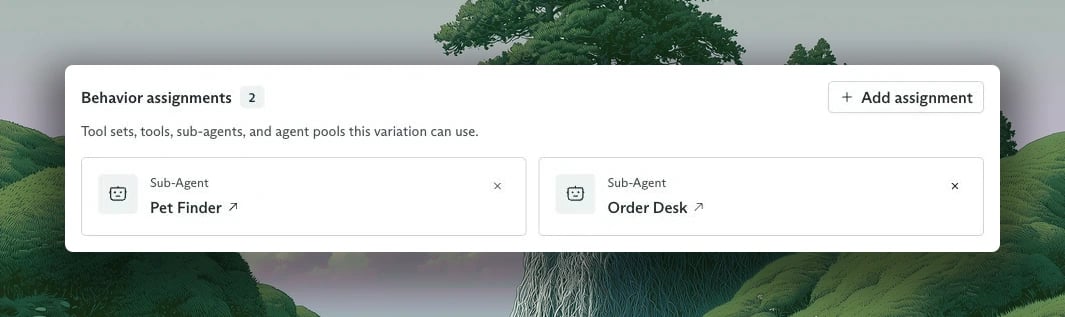
The Front Desk variation assigns Pet Finder and Order Desk as sub-agents.
modelConfig, so each runs on the workspace default model. To give a specialist a smaller or a stronger model than its coordinator, set modelConfig.modelId on that specialist’s variation.
Deploy the team
Check the files first. Validation runs offline and catches asubAgentId that points at an Agent the bundle doesn’t have:
create for the Tool Set, the three Agents, and the three variations, then a publish for each Agent. Apply creates every Agent before any variation, so a variation can assign an Agent from the same run.
To deploy on every merge, run the same commands from GitHub Actions. To promote the team to another workspace, point the same files at it with CADENYA_WORKSPACE_ID.
Assign a sub-agent without config files
One call attaches a specialist to an existing variation. Here it is for a variation with the external IDdefault:
Run it
Ask a question with two parts, so the Front Desk has a reason to start both specialists:subAgentUpdated carries one of four statuses:
A cancelled specialist sends no update. Whoever cancelled it already knows.
Know when the coordinator is done
Between starting its specialists and hearing from them, the Front Desk has nothing to do, so it ends its turn and its Objective moves toOBJECTIVE_STATE_WAITING. That’s the same state it lands in after its final answer. A waiting coordinator may still have specialists at work, and it resumes on its own when one reports.
To tell the difference:
- Give the coordinator an
outputDefinition. An Objective with structured output doesn’t finalize while a Sub-Objective it started is pending or running.OBJECTIVE_STATE_FINALIZEDthen means the whole team is done, and the answer sits inoutput. - Check the Sub-Objectives. A waiting coordinator with no pending or running Sub-Objectives has given its answer.
Follow the Sub-Objectives
In the dashboard, open the coordinator’s Objective and select Sub-Agents. Each row links to a specialist’s Objective, with the task it received and its current state.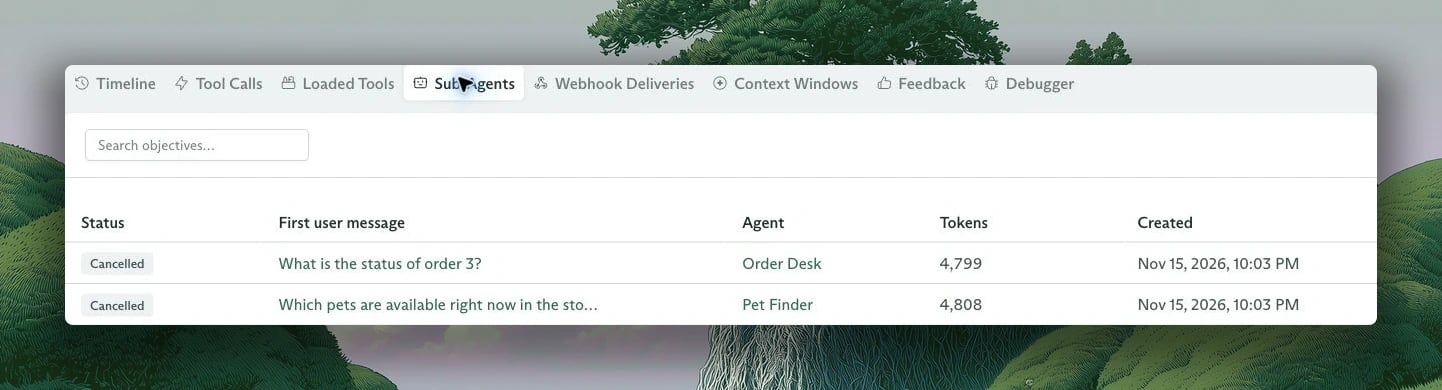
The Front Desk starts one Sub-Objective for each part of the customer's question.
parentObjectiveId set. Everything that works on an Objective works on it: events, tool calls, diagnostics, feedback. List the ones a coordinator started:
PARENT_OBJECTIVE_ID is the Front Desk Objective’s obj_ ID. Then stream any one of them the way you streamed the parent:
What a Sub-Objective starts with
A Sub-Objective starts clean. It gets two things from the call:message as its first user message, and data as its system prompt data. The rest comes from the specialist’s own Agent and the variation Cadenya selects for it.
So the coordinator’s conversation doesn’t carry over, and neither do the secrets, memory references, or pinned parameters you passed when you created the parent Objective. Anything a specialist needs has to arrive in message or data, or live on the specialist: a Memory Layer on its variation, a secret on its Tool Set.
Variation selection runs for each Sub-Objective, so a specialist with several variations gets one picked per handoff. Feedback on a Sub-Objective scores the specialist’s variation, not the coordinator’s.
Webhooks
Each Agent sends its own Objectives’ events to its own webhook URL. So the Front Desk’s endpoint receivesobjective_event.sub_agent_spawned and objective_event.sub_agent_updated, while the tool calls a specialist makes go to the specialist’s endpoint.
To tie the two together, every delivery from a Sub-Objective carries two extra keys in data:
Both are absent on a top-level Objective. Route on
rootObjective.externalId, and the events of a whole team land on the record in your system that asked the question.
When the coordinator ends
A coordinator that reaches a terminal state (finalized, failed, cancelled, or timed out) takes its unfinished Sub-Objectives with it. Cadenya cancels them, and each cancelled Sub-Objective cancels its own, down the tree. So cancelling the top Objective stops the whole team:Route to one of several Agents with an Agent Pool
A sub-agent assignment is a fixed line: this coordinator, that specialist. An Agent Pool is a switchboard. The coordinator’s model sees one function for the whole pool, and Cadenya picks the member that fits each call. Use a pool when the specialists are interchangeable from the coordinator’s side (one per product line, one per language) and you’d rather add a member than edit the coordinator. Config files don’t create Agent Pools, so this part uses the CLI or the API.1
Create the pool
The pool’s Members take canonical
description tells the coordinator’s model when to call it. Each member’s Agent description tells Cadenya which member fits, and instructions frames that choice.agent_ IDs. cadenya agents list prints them. Leave instructions out and Cadenya asks “Which agent is best suited to handle this request?”2
Activate it
A pool starts inactive and routes nothing. Activation needs at least one published member:Copy the
apool_ ID from the output for the next step.3
Assign it to the coordinator
A pool assignment takes the canonical ID. In a config file, it sits in the variation’s
assignments next to the others: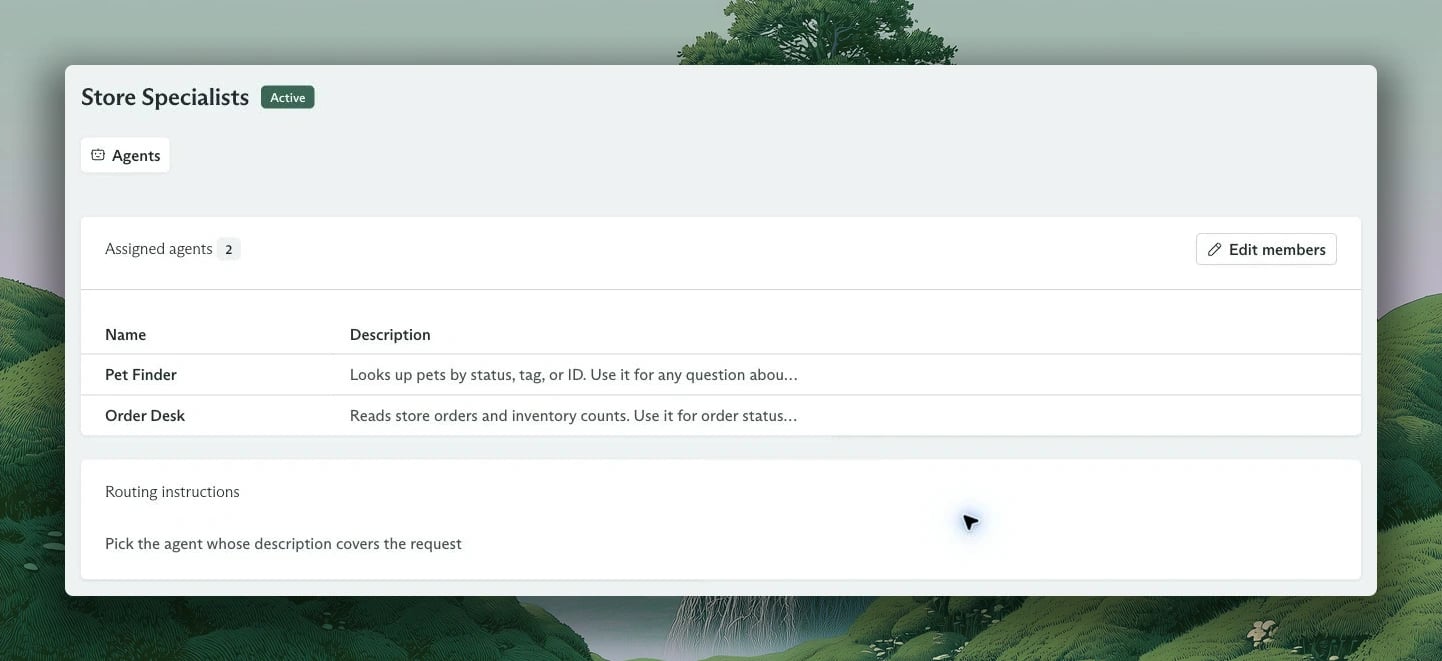
Store Specialists is active, with two members and instructions for choosing between them.
- The function name is
agent_pool_plus the pool’s name in lowercase with underscores:agent_pool_store_specialists. - The arguments are one
requeststring. To take structured arguments, set a JSON Schema on the pool’sspec.state. Cadenya validates each call against it. - Routing reads the arguments and the member descriptions. Only published members are candidates. A pool with no published member, or one that is inactive or archived, fails the call.
- The chosen member gets the arguments as its first user message, as JSON. A member with a
systemPromptDataSchemaalso gets them as its system prompt data.
Where to go next
- The config files page covers bundle keys, deletes, and the GitHub Action that deploys on every push.
- The Objectives guide lists every event in an Objective’s log.
- The API reference has the full contract for variation assignments and Agent Pools.