

- OpenAPI 3.0 or later
- MCP
- HTTP (endpoints you define)
- Bare
Tool filtering and approvals
Giving your agent too many tools can balloon token use. Apply filters before you become your CFO’s number one enemy.Include and exclude tools
You can filter tools in an OpenAPI or MCP Tool Set by name, description, and title.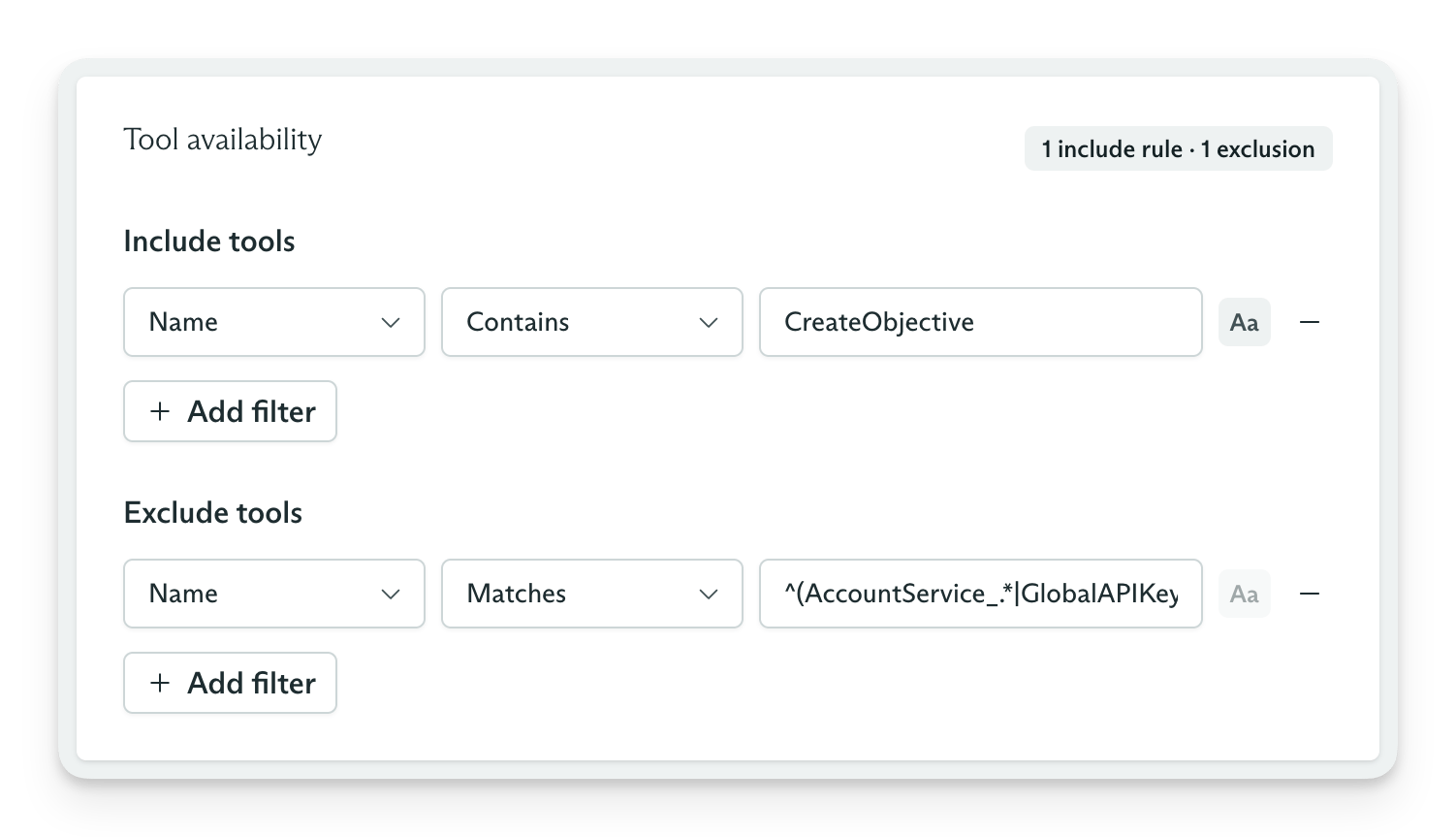
Tool filter applied to an OpenAPI Tool Set
Tool approvals
Require approval for every tool call or use filters to require it for matching tools. Combining filters with approvals gives you precise control over how your agent acts in the real world.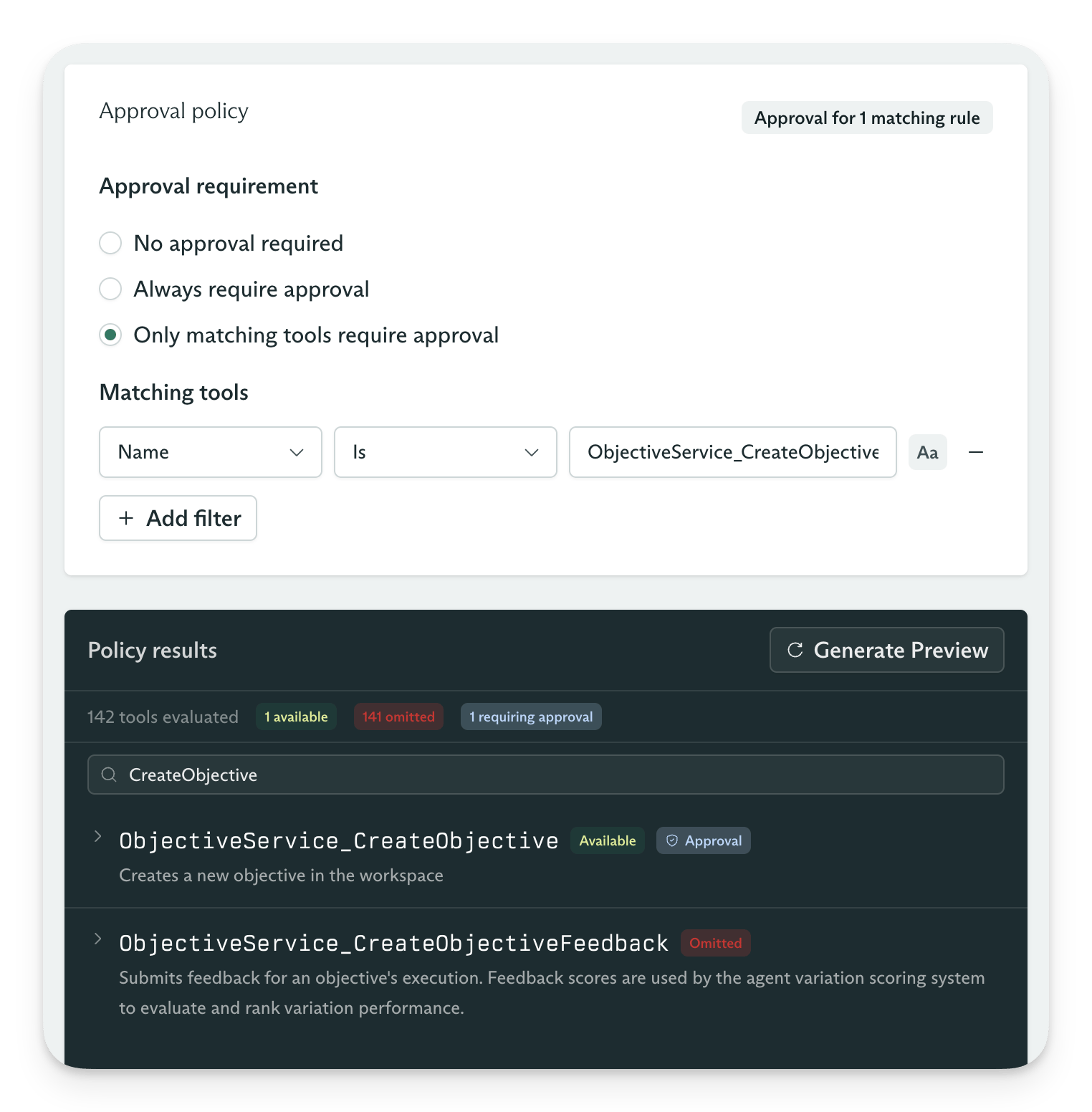
Tool set approval filters
Secrets
Resolution order
Tool Sets can reference secrets from a workspace, Tool Set, or objective. Cadenya applies matching values in this order:Syntax
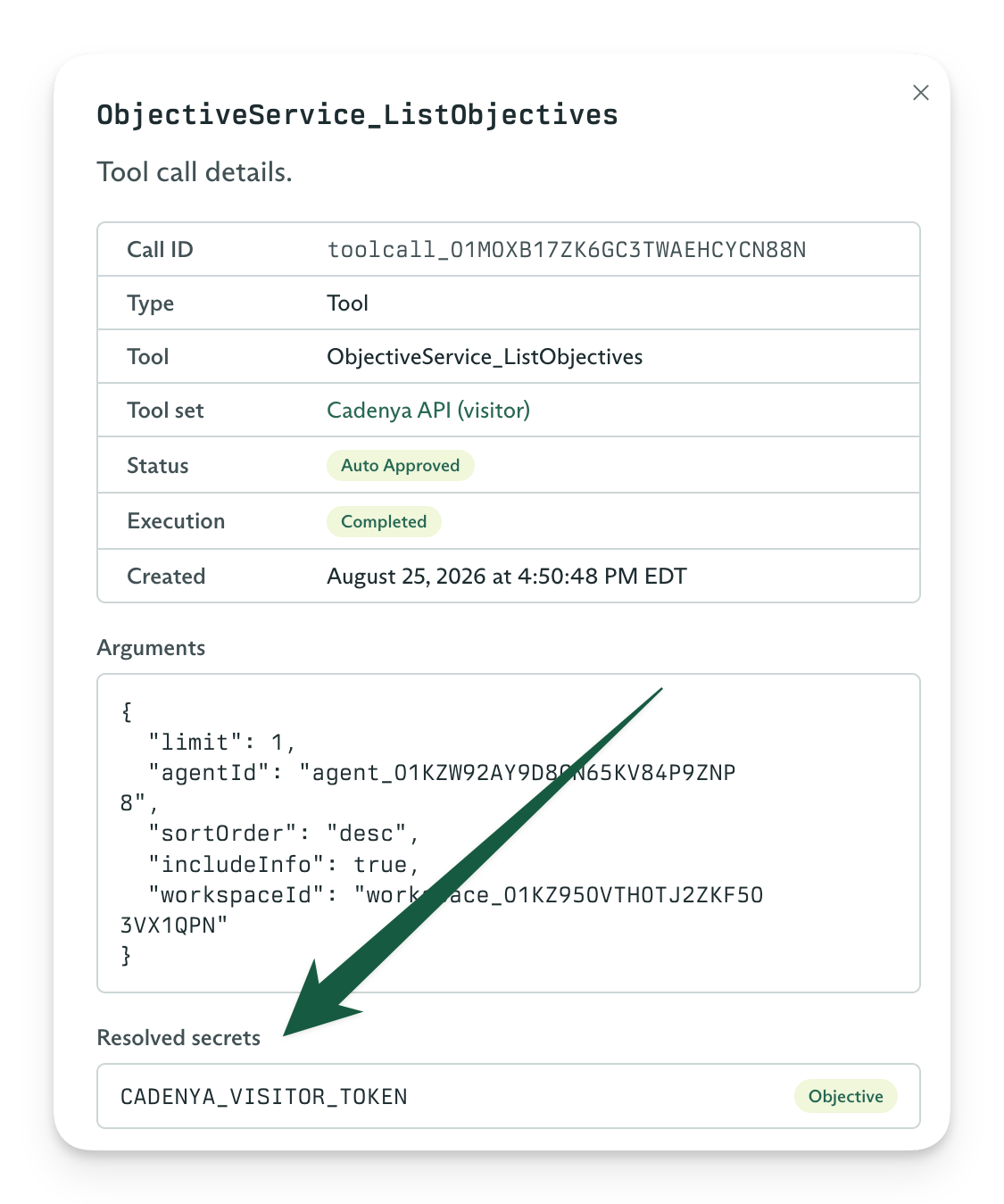
Resolved secret
Security
Cadenya encrypts every secret at rest with envelope encryption. Each value uses a unique data key, represented by theiv and encrypted_value pair, so storage never receives the plaintext value. Cadenya scopes secrets to a workspace or Tool Set, decrypts them only at the point of use, and records each access in last_used_at.
OpenAPI Tool Sets
Cadenya can treat an OpenAPI spec as a Tool Set. If you have a public API, you have an agent in waiting. Cadenya can read every operation from a URL or from an uploaded API spec.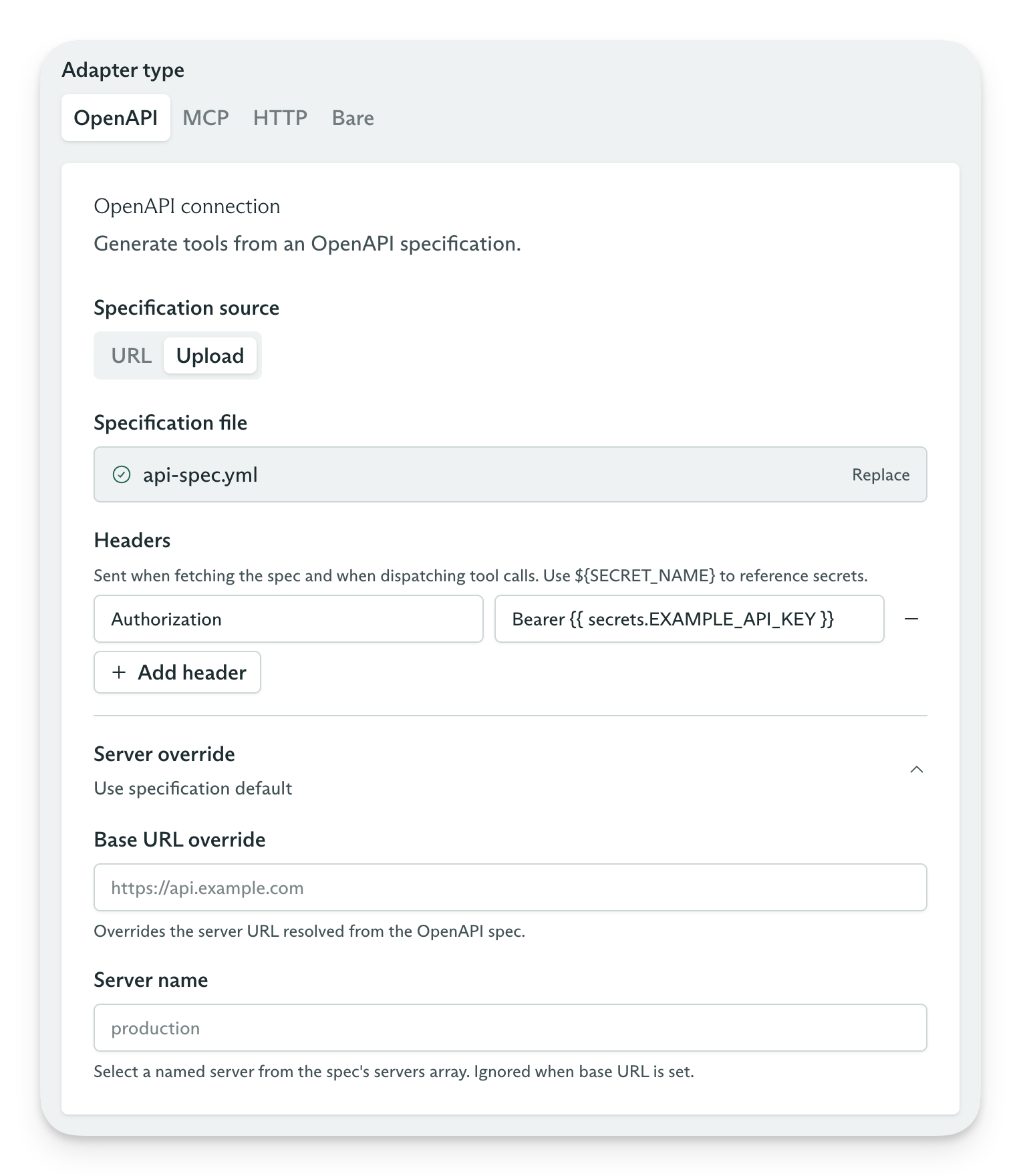
OpenAPI Tool Set
- If you use a URL as the source, Cadenya checks the specification for changes each hour.
- Cadenya converts path parameters and request bodies into tool parameters for your agent.
- Use overlays to remove large request parameters and reduce token use when a tool enters an agent’s context window.
MCP Tool Sets
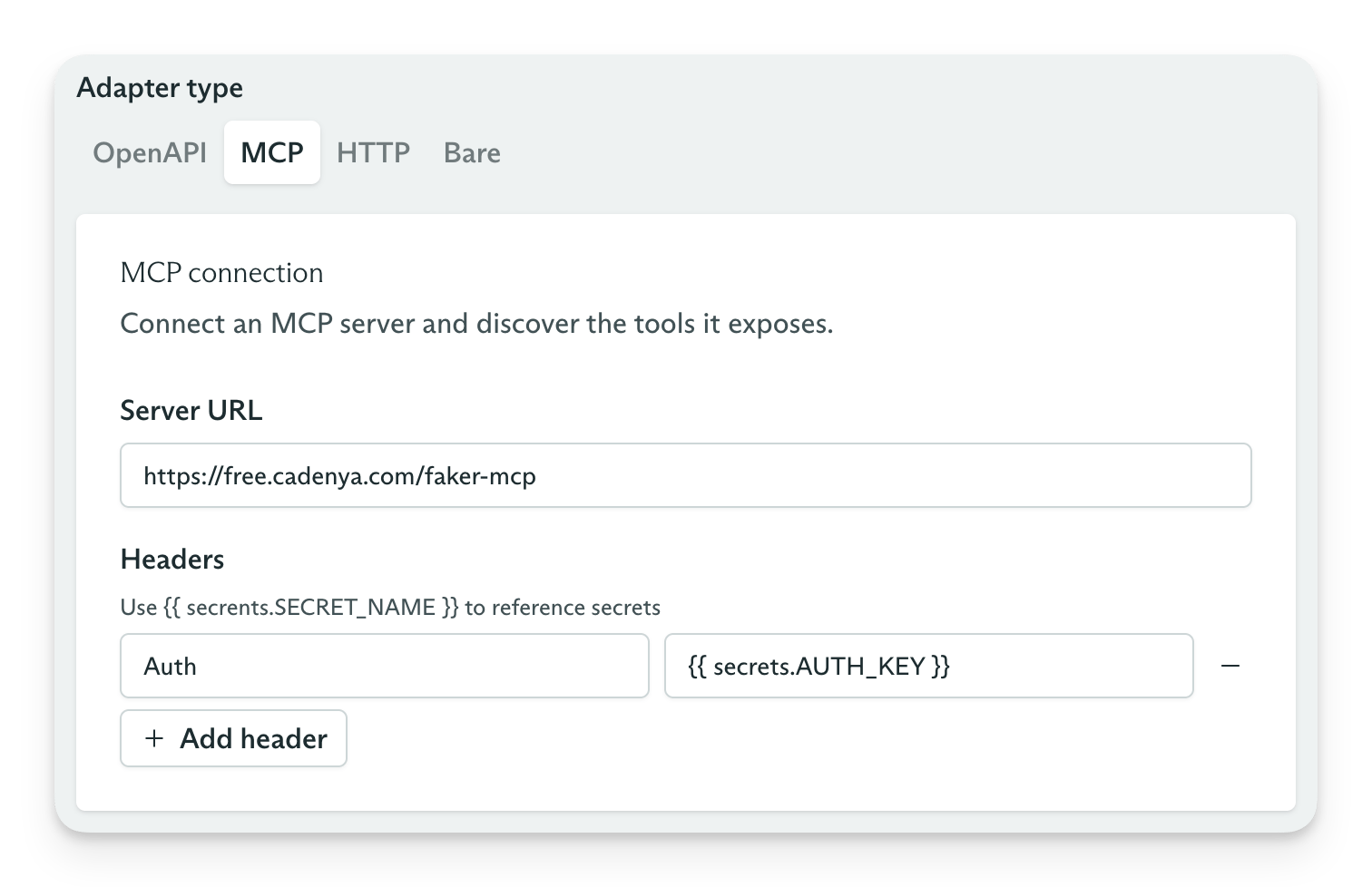
Use an MCP URL as a source
- Interval syncing
- Just-in-time syncing
Interval syncing
If your MCP tool definitions seldom change, use interval syncing. Your agents start objectives faster because they do not load tools from the MCP endpoint for each objective. Cadenya caches the tools and their parameters, then checks for changes each hour. If your MCP endpoint (for example,https://mcp.example.com/mcp) requires authentication for a tools/list RPC, configure it to accept Cadenya’s request. Cadenya includes an X-Cadenya-Challenge-Token header in each request for you to verify.
Just-in-time syncing
Use just-in-time syncing when your MCP server lists different tools or changes their parameter definitions based on who accesses it. For example, anadmin permission might expose a different tool list than a member permission. Cadenya stores these tools on the Tool Set and gives each one a signature to prevent duplicates.
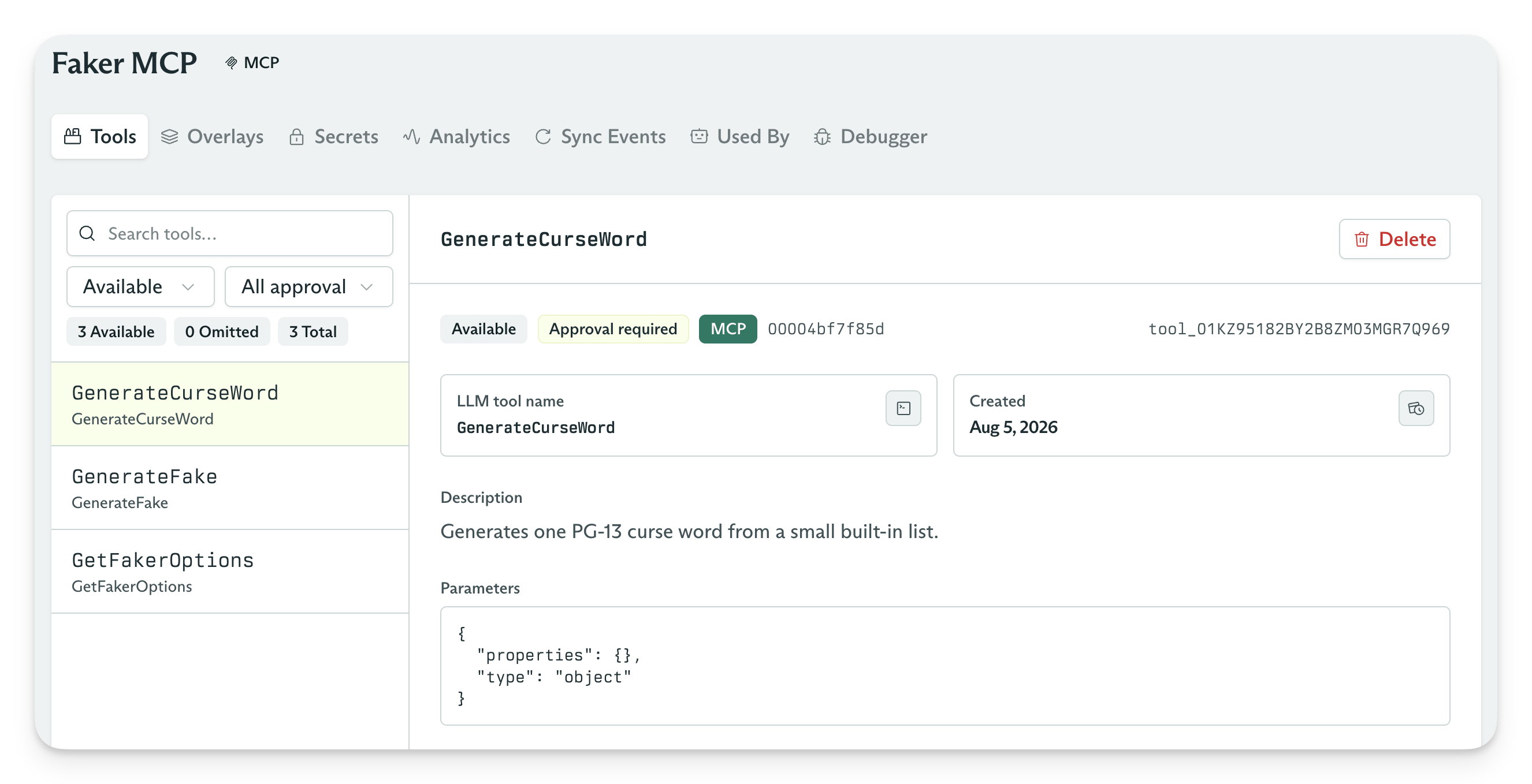
List of tools from an MCP Server
HTTP Tool Sets
An HTTP Tool Set gives Cadenya a constrained equivalent of acurl command. It has two requirements:
- The HTTP Tool Set must define a base URL. Cadenya does not call arbitrary hosts for you. Use your own tool chain for that.
- You must add each tool after you create the Tool Set because Cadenya has no source to sync.
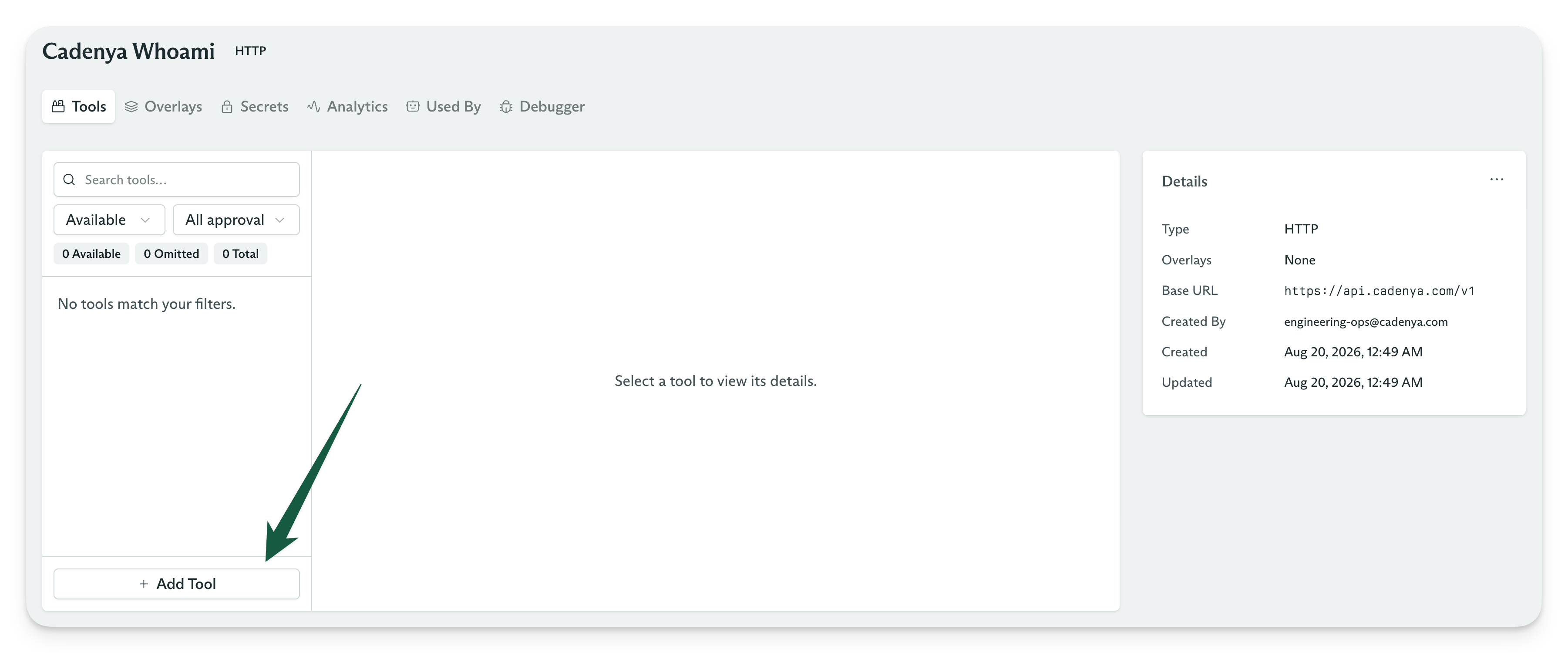
You must add tools to an HTTP adapter
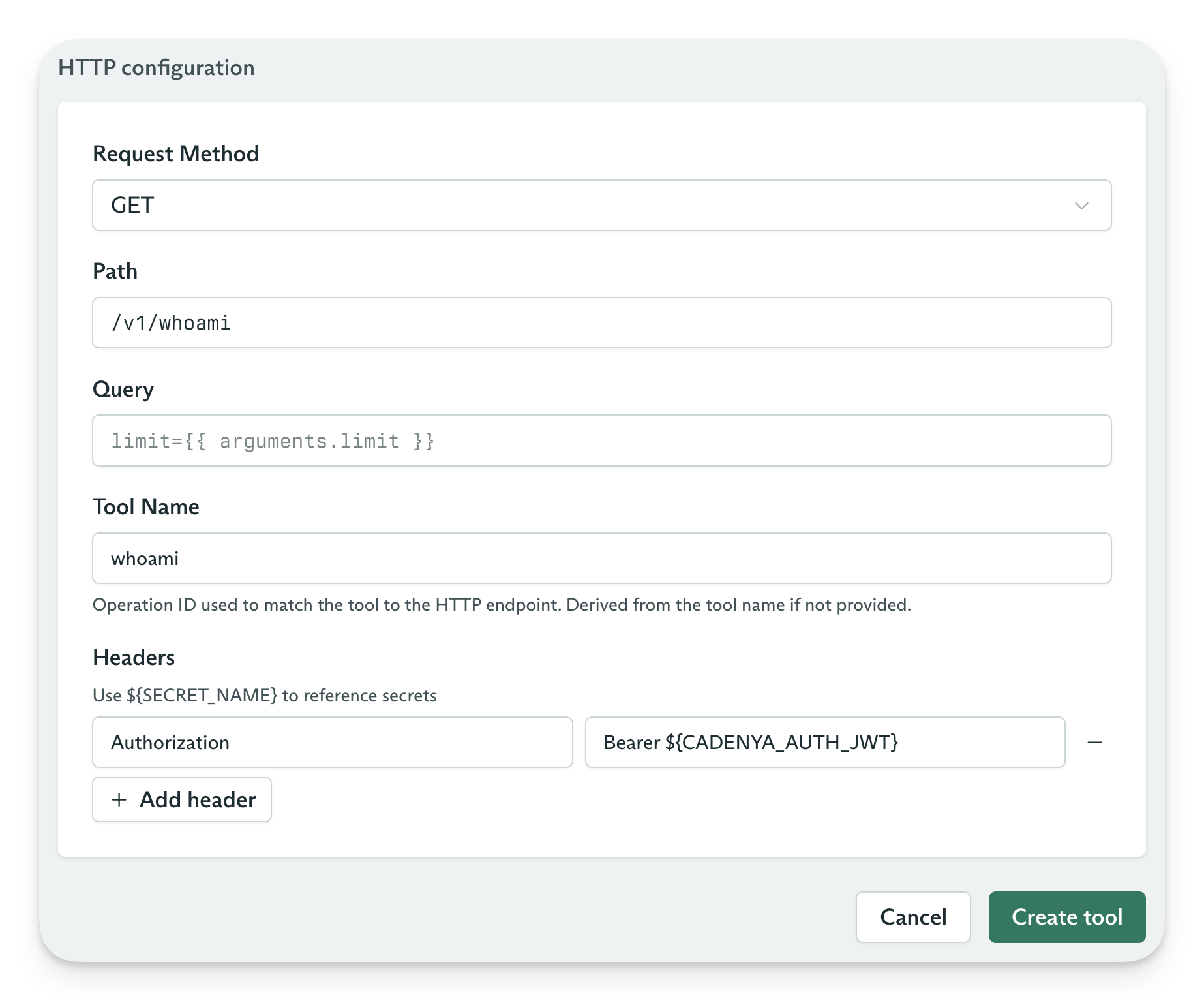
Create tool options
Bare Tool Sets
For tools you define and execute in your application, use client tools to skip Tool Set setup. Keep a Bare Tool Set when you want to configure tools in Cadenya and assign them to variations.Async results
Sometimes an agent needs to call a tool and wait for content from another source. A coding agent that asks, “Which implementation would you prefer?” is one example. Use a Bare Tool Set for this type of human-in-the-loop workflow. Bare Tool Sets let you set the content using the Cadenya API. A flow might look like this:- Receive a
tool_calledwebhook for a Bare tool. - Start your own async process, such as posting a Slack message.
- Use the
setContentAPI after a user submits a result through Slack, email, or another channel. - Your agent continues to the next loop.
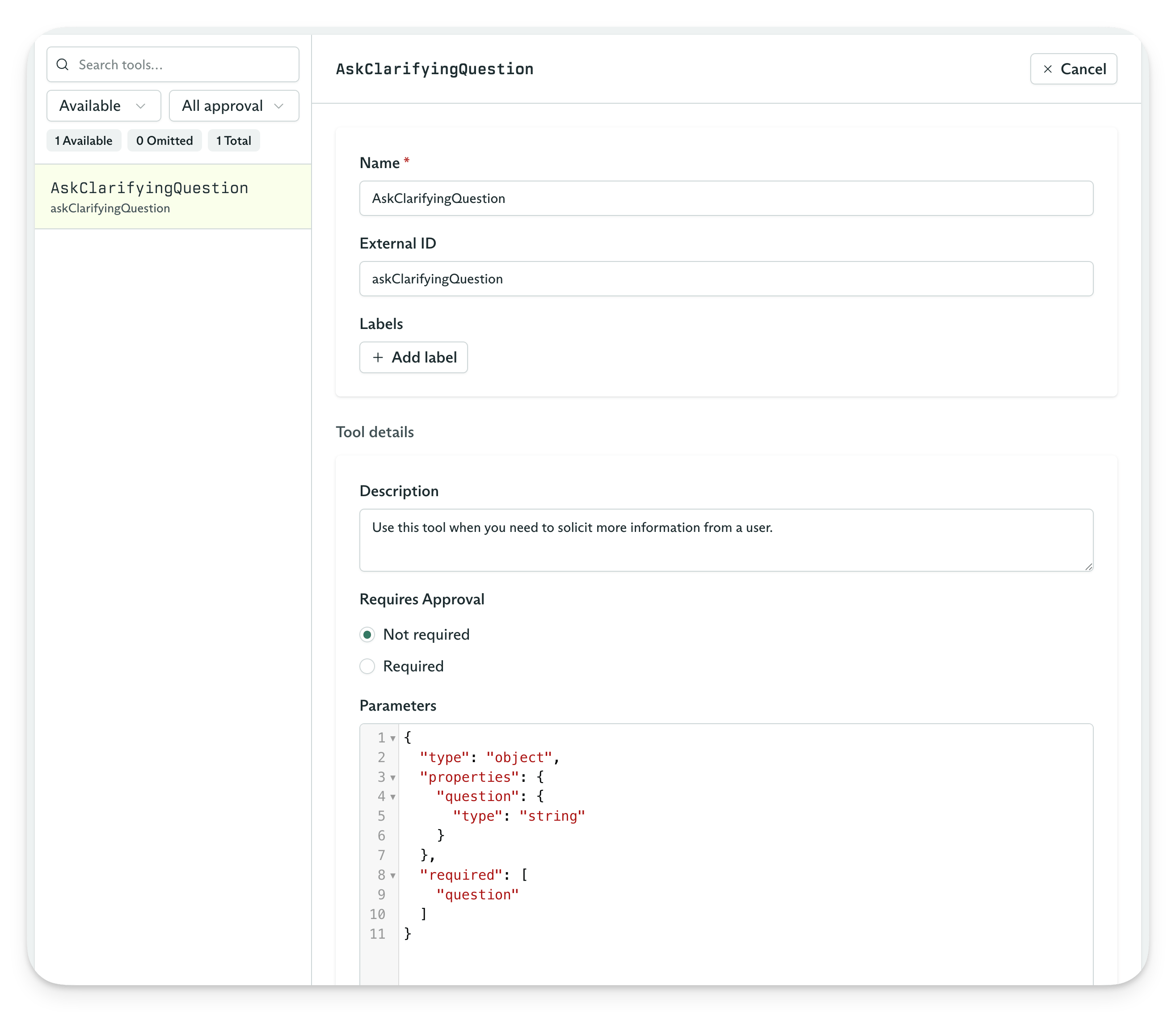
Bare tool example
Static results
An agentic loop can continue only after every tool call returns a result, including an error. Bare tools also support static content when no outside source provides a result. A tool can extract data from a conversation without calling an outside service. For example, give your agent adisplayStockChart tool alongside a Tool Set with stock research tools. Your application can use the model’s tool-call arguments to display a component.
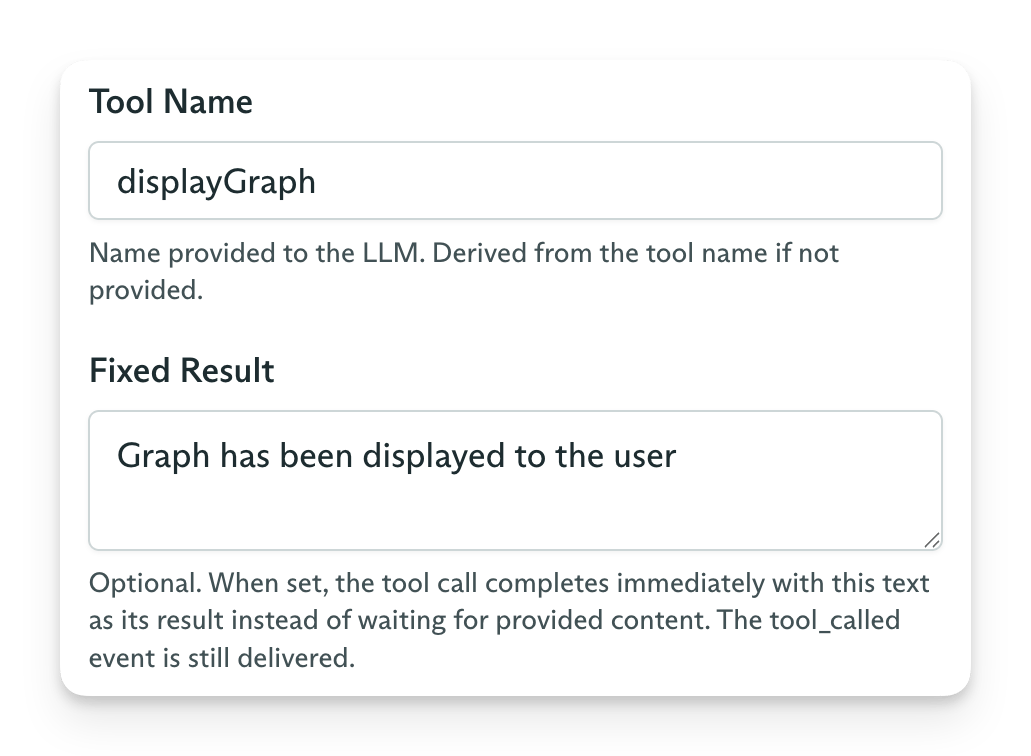
Static tool content
Client tools
Client tools let you define tools when you create an Objective, then execute their calls in your application. You do not need to create a Tool Set or assign it to an Agent Variation first. For browser tools, the React Widget UI handles registration and results for you. PassclientTools to CreateObjective, CreateAndStreamObjective, or the Widgets API’s CreateConversation. The field is an object with a definitions array:
Definitions and validation
nameis required. Use letters, digits,_, and-, with at most 64 characters. A name cannot start or end with_.- Names must be unique within
definitions, which accepts at most 64 tools. - Names reserved by Cadenya-provided or built-in tools return HTTP
400with a field violation onclientTools.definitions[i].name. descriptiontells the model what the tool does.parametersis a JSON Schema object. Omit it for a tool with no arguments. Cadenya validates it against the JSON Schema meta-schema. An invalid schema returns HTTP400with a field violation onclientTools.definitions[i].parameters.- Set
requiresApprovaltotrueto pause each call until you approve it withApproveToolCall. Cadenya hands the call to your application after approval.
Calls and lifetime
A client tool replaces a variation tool with the same function name. Client tools stay in the Context Window even when the variation uses progressive discovery to load variation tools on demand. Only the definitions in the create request load into that Objective or conversation. Continue keeps those definitions; it cannot add or change them. Start a new Objective or conversation to use a different set. Each call arrives as atoolCalled event in the stream and as an objective_event.tool_called webhook, like a Bare tool call. The call waits for content, and its arguments are always exposed, including to Widgets. Execute the tool and return its result with setContent (SetToolCallContent) within 1 hour.
Managed Tool Set
Cadenya stores client tools as real Bare tools in one managed Tool Set per Agent.ListToolSets includes this set with the read-only clientToolsAgentId field set to the Agent’s ID. Tool analytics attribute client tool calls to this Tool Set.
You cannot update, archive, unarchive, or delete the managed Tool Set, add or change its tools or secrets, or assign it to a variation. Define the tools in your create request instead.