

adbtaawrmh4h.widgets.cadenya.com.
Your backend has one job in the live conversation path: authenticate the visitor and mint a Widget Session. The browser receives the session’s short-lived token and the Widget host. It then sends conversation requests and receives event streams from that host. Your Cadenya API key stays on your server, where it belongs.
How Widgets work
Each Widget binds one Agent to one host and one origin allowlist. A conversation created through the Widget becomes an Objective for that Agent. Cadenya derives the workspace, Agent, tenant, subject, secrets, and pinned parameters from the Widget Session instead of trusting values sent by the browser.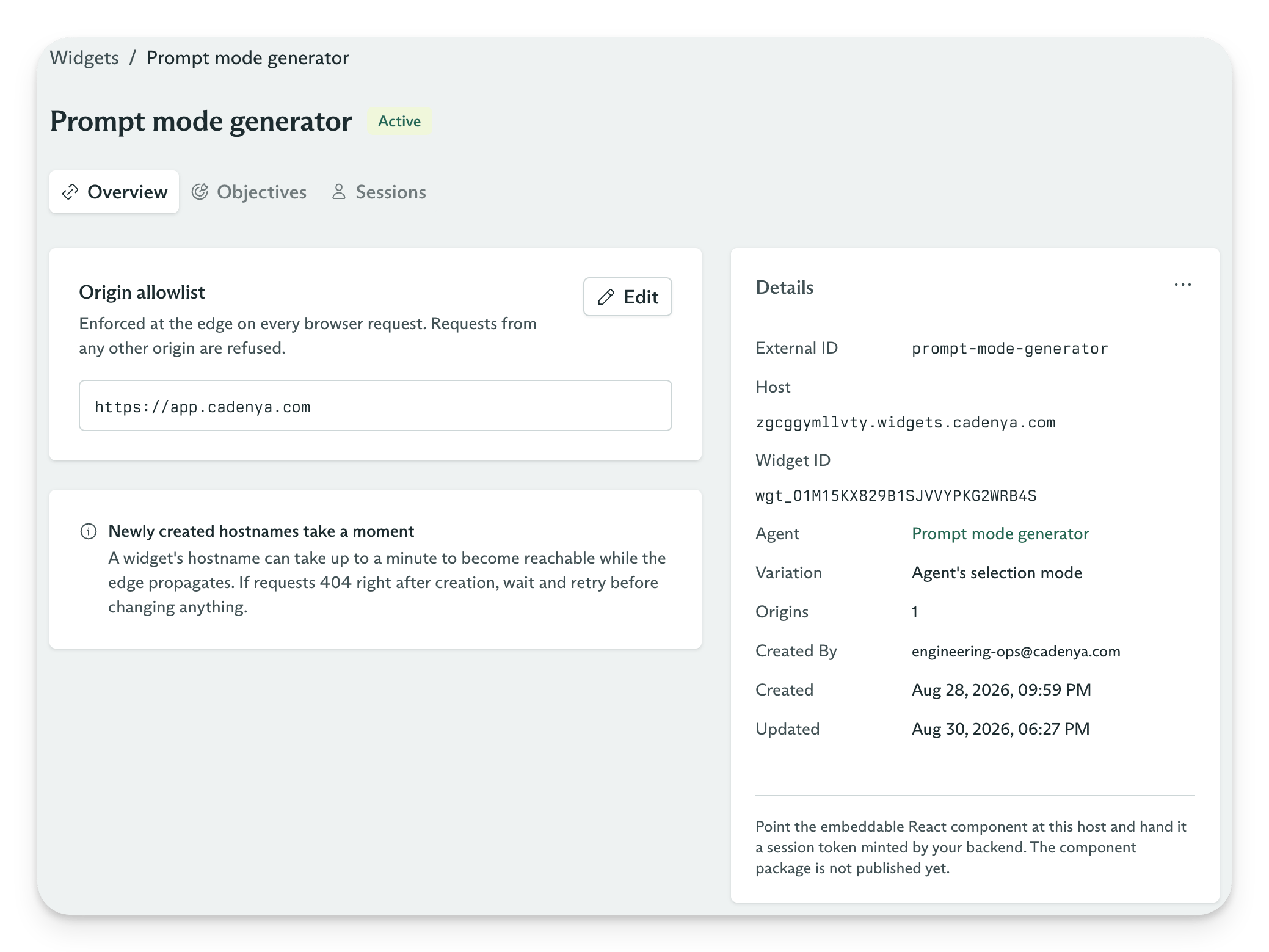
Widget overview
1. Mint a Widget Session
The frontend asks your backend for a Widget Session. Your backend authenticates the visitor, calls the Cadenya API with its private API key, and returns only the browser-safe token and host.2. Start conversations
The React UI usesinfo.host as its API base URL and sends the Widget Session token as a bearer token. Conversation requests and SSE events travel between the browser and the Widget host without passing through your backend.
The Widget host uses its DNS label to find the Widget, checks the request’s Origin against the allowlist, and routes the request to the Cadenya environment that owns it. Always use info.host from the Widget Session response. Do not build the hostname from a Widget ID or DNS label.
Configure a Widget
A Widget has three settings that shape new sessions:- Agent: The published Agent that handles conversations.
- Agent Variation: An optional pin to one variation. Without a pin, the Agent’s Variation Selection Mode chooses a variation for each conversation.
- Origin allowlist: The exact web origins that may call the Widget host, including the scheme and optional port. Add
https://app.example.com, not a path or wildcard.
Mint a Widget Session
Call Create a widget session from your backend with an API key that has thewidget_sessions:manage scope.
Never make this request from the browser because it requires your private Cadenya API key.
CADENYA_API_KEY and CADENYA_WORKSPACE_ID from the environment. Set CADENYA_WIDGET_ID to the Widget you want to embed.
tenant and a subject, and the API rejects a session without both. Use your application’s organization and user IDs. Sessions with the same tenant and subject share conversation history for the same Widget, across tabs and newly minted sessions. So a hard-coded subject puts every visitor in one shared history. Give each visitor their own ID when their conversations should stay separate. IDs are 1 to 64 characters of letters, digits, ., _, and -.
Add the React Widget UI
Install the React UI kit and its Radix Themes peer dependency:CadenyaWidgetProvider creates the browser client and points it at the host returned by the Widget Session API. ConversationsPanel supplies the conversation list, message thread, composer, tool approvals, and live event stream. From version 0.5.0, assistant replies appear as text arrives, before the full reply completes.
hostsets the@cadenya/widgetsclient base URL tohttps://{info.host}.tokensupplies the Widget Session bearer token for browser requests.getTokencalls your backend after a request returns401. The provider uses the new token and retries the request once.
getToken goes back to your backend, which authenticates the visitor again and mints another Widget Session for the same tenant and subject. The visitor keeps their conversations, and your application decides every time whether they still get a token.
The Widget host also renews tokens on its own. POST /v1/workspaces/{workspaceId}/session:renew on the Widget host takes the session’s current token as its bearer and returns a fresh one for the same session, without a trip to your backend. Renew before tokenExpiresAt: renewal accepts a token up to 60 seconds past its expiry and no later. It never extends the session itself. The Widgets API reference has the details.
For questions, cards, and page context, start from the Widgets Tools template instead of writing your own tools. <WidgetTools> from @cadenya/widgets-ui-react/widget-tools renders all three, and the Widget quickstart walks through it end to end.
If you want to build your own interface, use the lower-level @cadenya/widgets SDK instead. It exposes the Widget config, conversations, events, tool approvals, browser-supplied Bare tool results, and feedback APIs.
cadenya/widgets-sdk
Loading repository data...
Page tools and client tools
Use@cadenya/widgets-ui-react 0.5.0 or later for client tools. If you use the browser SDK on its own, use @cadenya/widgets 1.6.0 or later.
Page tools
usePageTool(key, handler) answers calls for tools you have already configured in Cadenya and assigned to the Agent Variation. Register the handler under a PageToolsProvider shared with ConversationsPanel. For a Bare tool, the panel sends the handler’s return value as the call’s content. Configure widget argument exposure on the Tool Set if the handler needs arguments.
The Widget quickstart’s page tool example shows a handler that saves a destination.
Client tools
useClientTool defines the tool in your page and registers its handler. You do not create a Tool Set or assign the tool to a variation. New conversations under the same PageToolsProvider send the registered definitions as clientTools: { definitions: [...] } to CreateConversation.
Render the registration component before starting a conversation. Keep it mounted next to ConversationsPanel under the same provider:
components/cart-tools.tsx
parameters defines a tool with no arguments. For a tool with arguments, pass a JSON Schema object in parameters and read args in execute: ({ args }) => .... The latest render’s handler reads current page state. Strings return as-is; other values become JSON. A thrown error reaches the agent as {"error": "..."}.
Set requiresApproval: true to have the visitor approve each call before the page executes it. Client tool arguments are always exposed to Widgets. To render a call, register useToolComponent("name:getCartTotal", Component) under the same provider. The key uses the client tool’s function name.
A client tool replaces a variation tool with the same function name. Definitions stay fixed for each conversation: registering another tool or changing its schema affects new conversations, and Continue cannot update existing ones. Client tools stay loaded even with progressive discovery. The client tools guide covers name validation, the 64-definition limit, the 1-hour result timeout, and the managed read-only Tool Set used for analytics.
Pass trusted context into conversations
A Widget Session carries values that the browser must not choose. Cadenya applies them to every Objective created through the session:- Tenant and subject assertions group conversations under identities from your application. Every session carries both.
- Secrets let the Agent act with a visitor-specific credential. Cadenya encrypts the value and never returns it from an API.
- Pinned parameters force values onto matching tool arguments after the model makes a Tool Call. Use them for IDs such as an account or workspace that the visitor must not change.
- Labels add searchable metadata to every conversation created by the session.
Session lifetime and revocation
A Widget Session token lasts at most 15 minutes. The session lasts 24 hours unless you setspec.expiresAt when you mint it, and it serves conversation requests until it expires, reaches its message limit, or you revoke it. Renewing a token never pushes that deadline back, and a token never outlives its session.
Revoking a session stops its outstanding tokens from authenticating and removes its secrets. Archiving a Widget removes its host from the edge and revokes its sessions. Mint a new session after you unarchive a Widget because revoked sessions stay revoked.